Agent Dashboard Cards: One Operating Metaphor per Surface, or Your Team Drowns in Toast
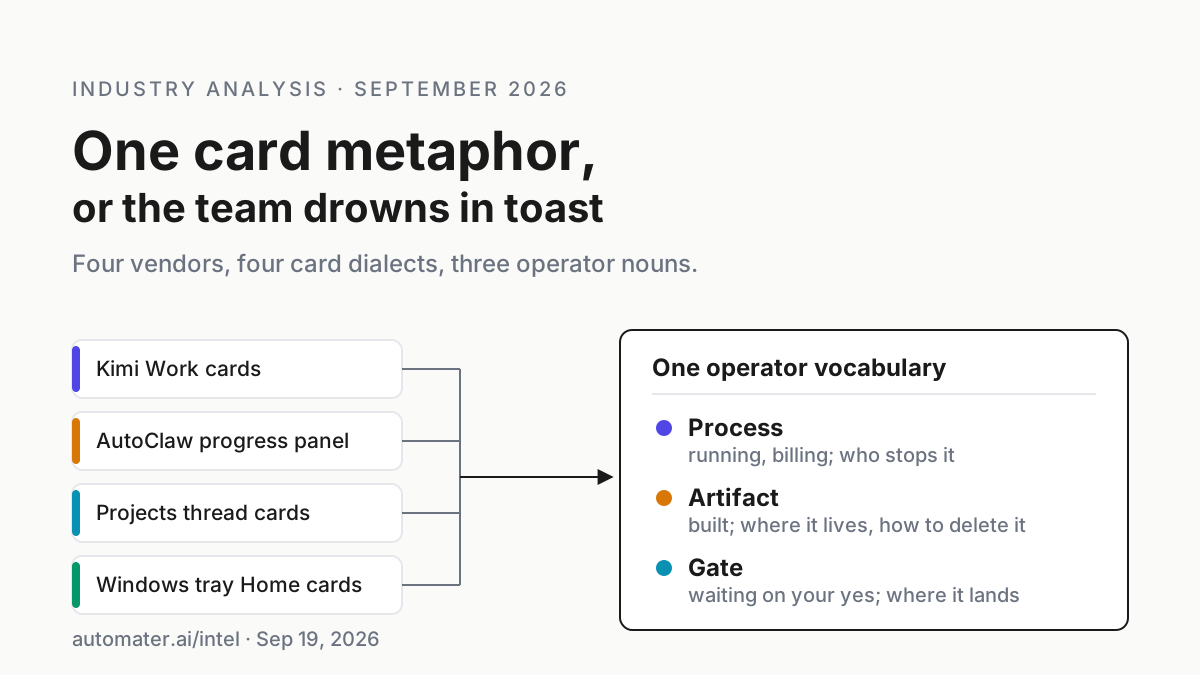
Agent dashboard cards now mean four things: widgets, sub-agents, deliverables, threads. A dialect map of what each card is, what it can do, who owns the kill.

Go deeper. Build your own.
On Sep 18, 2026, Kimi Work client 3.2.11 taught its detail panel to show the sub-agent execution process. Seven days earlier, 3.2.7 had put sub-agent cards and deliverable cards on the phone. The day before 3.2.11, Anthropic redesigned Claude Code Projects around threads whose cards carry states like Waiting on you. And in a chat window on the same laptop, an AutoClaw Cluster Mode progress panel is telling somebody which step of an 18-role research run is finished.
Agent dashboard cards have become the default unit of agent UX, and every vendor means a different thing by the word. One card is a page the model built. One is a worker that is still running and still billing. One is a finished deliverable. One is a permission prompt in a card’s clothes.
Put all four on one team’s screens without a shared vocabulary and by Thursday somebody annotates a deliverable believing they approved it, and somebody else swipes away a running worker believing they dismissed a toast.
The move for Tuesday is a dialect map: one page that says, per surface, what a card represents, what you can do from it, and who owns the kill. This piece writes that map for the four dialects in play in September 2026 (Kimi Work, AutoClaw, Claude Code Projects and a Windows tray companion), gives you the three-noun vocabulary that translates between them, and lists the confusions that arrive first when the map is missing.
Sep 4–18, 2026: new agent dashboard cards from Kimi and Anthropic, and no two dialects share a noun
Kimi Work’s release notes are the cleanest record of how fast the word multiplies. Client 3.2.5 on Sep 4, 2026 added remote control, “control Kimi Work on your desktop from your phone”. Client 3.2.7 on Sep 11 made remote-control messages display in segments “with sub-agent cards and deliverable cards aligned with the desktop”. Client 3.2.11 on Sep 18 added that “The detail panel now supports showing the sub-agent execution process” (Kimi Work release notes).
Three card-shaped changes in two weeks, on top of the cards Kimi Work already had.
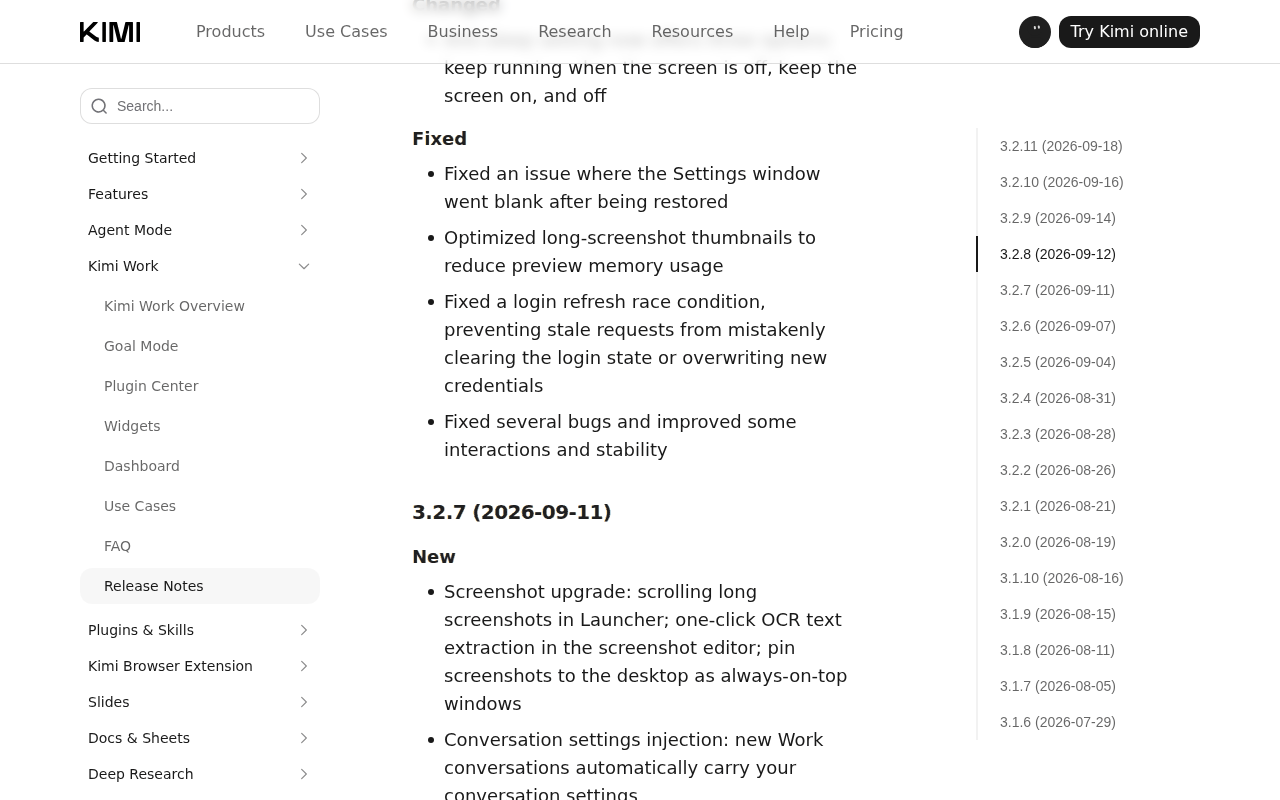 Screenshot: kimi.ai, “Kimi Work Release Notes - Kimi Help Center” (entry 3.2.7, Sep 11, 2026), captured Sep 19, 2026.
The older Kimi cards are a different species. A widget is “an interactive page generated by the model and presented instantly in a chat”; a live widget is “a widget bound to a widget task, whose content updates automatically with each run of the task” (Kimi Work help: Widgets). A dashboard card is a pointer: “The model can surface a dashboard card in a chat.” Clicking it opens the dashboard in the right-side panel without leaving the conversation (Kimi Work help: Dashboard).
Since 3.1.8 on Aug 11 there has also been a diff summary card after the agent edits a file, with line-by-line review and one-click rollback. Six card types from one vendor, and only the sub-agent card stands for something that is running. The other five stand for things that were made, including the live widget, which is a made thing on a timer.
AutoClaw does not call its thing a card, which is almost a relief. The Cluster Mode post from May 29, 2026 describes a progress panel in the chat interface that shows “which step it’s on, which steps are done, what’s remaining” (AutoClaw: Cluster Mode). You do not choose the team behind it: “formation is automatically selected based on task complexity”, and the post’s own examples range from 2 roles to 18. The panel is a process view with no artifact in it until delivery.
Claude Code Projects, redesigned on Sep 17, 2026, is the third dialect. “Projects have threads that do the work and a coordinator that directs them,” Anthropic’s post says (Anthropic: Projects redesigned). In the docs, each thread has a card with an Overview state (Ready for review, Waiting on you, Working, Landing, Idle, Resolved) and buttons such as Resolve conflicts, Fix CI, Address comments and Merge it, which “send that instruction to the thread as a message from you” (Claude Code docs: Projects).
Stop replaces the send button while a thread works. The sentence that decides how you read the card is this one: “When a thread needs your approval, the prompt is inside that thread and the thread waits until you answer it there. Telling Claude in the project conversation to go ahead doesn’t reach it.”
The news ends here. What the launches have in common is that none of them says what the card is for in operator terms. The Kimi Work dashboard versus Lite Home cards piece covers the Kimi half in more depth than this one will, and the Claude Code Projects piece covers the coordinator; this piece is about the map across all four.
Cards that act need a kill owner; cards that suggested never did
When a card only held text, misreading it cost a re-read. The September cards are handles on things that run and bill.
Kimi’s Agent Swarm mode “autonomously assembles a team of up to 300 sub-agents” (Kimi Work help: Overview). AutoClaw’s flagship example runs 18 roles for 43 minutes. Projects caps you at “200 new threads per day across your projects” and warns that projects “can reach usage limits faster”, each thread being a full Claude Code session.
Misread a process card as an artifact and the worker keeps running after you have mentally filed it as done. Misread an artifact card as a gate and you rubber-stamp a widget nobody asked you to approve. Misread a gate as a process and you wait on a spinner that is waiting on you. Chatbots suggested; these things act, and a card over an acting thing needs a named owner for the stop.
The three nouns every card has to answer to
Give the team one vocabulary with three words, and make every card on every screen declare exactly one of them as its primary meaning.
Process. Something is running and drawing on a meter. The card owes you four answers: what is running, is it moving, where is it running, and who stops it. Examples: a Kimi sub-agent card, an AutoClaw progress panel, a Projects thread in Working, a tray Live activity row.
Artifact. Something was built. The card owes you where it lives, whether it is current, and how to change or delete it. Examples: a Kimi widget, a deliverable card, a dashboard card (a pointer to an artifact), a diff summary card, the PR on a thread card.
Gate. Something is waiting for your yes, and nothing happens until you give it in the right place. The card owes you what exactly is being approved, what a no does, and where the answer must land. Examples: a Projects thread in Waiting on you, a Kimi permission prompt under Manual approval, an AutoClaw Hermes evolution proposal, a tray Needs You flag.
A card may carry a second noun as a badge (a thread card is a process with a PR artifact attached), but the primary noun decides how a person reads it in the half-second before they click. The pre-action gates piece makes the longer argument that a gate belongs in front of the action, not on a dashboard after it.
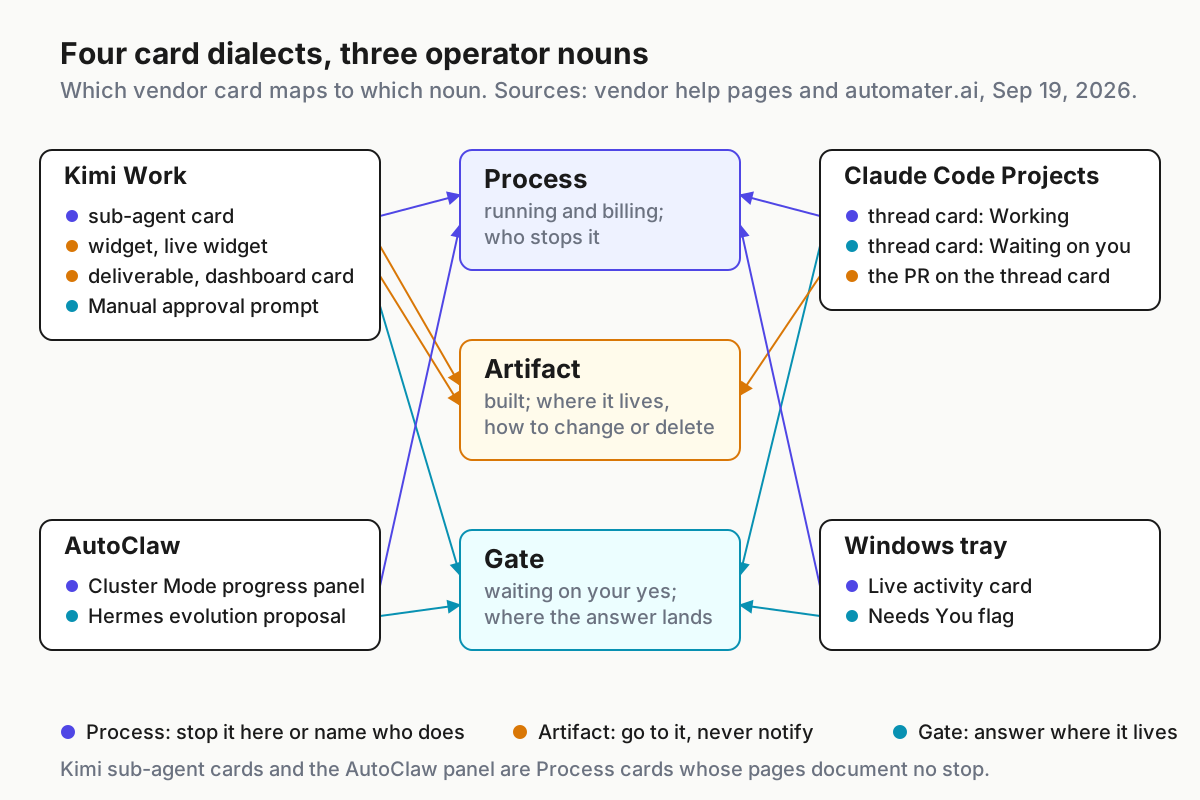 Every dialect maps onto the same three nouns. The mapping is the map; the vendors’ names for things are not.
The dialect map: what each card is, what it can do, who owns the kill
Paste this into the team runbook. Every cell comes from the vendor’s own pages as of Sep 19, 2026; where a page is silent, the cell says so.
| Card | Where it appears | Primary noun | What you can do from it | Who owns the kill |
|---|---|---|---|---|
| Widget / live widget | Kimi Work chat, Dashboard | Artifact | Save to Dashboard, Refresh, Annotate (up to 10 entries), Pin to Desktop, Delete; a live widget also shows its task and the 10 most recent runs | You, from the Dashboard: toggle the widget task off. Delete is permanent |
| Dashboard card | Kimi Work chat | Artifact (pointer) | Click to open the dashboard in the right-side panel | Nothing to kill |
| Sub-agent card | Kimi Work remote control (3.2.7); detail panel (3.2.11) | Process | Watch the execution process in the detail panel | The docs do not say; treat the desktop app as the owner |
| Deliverable card | Kimi Work remote control | Artifact | Open the deliverable | Nothing to kill |
| Progress panel | AutoClaw chat | Process | Read which step is on, done and remaining | The docs do not say |
| Thread card | Claude Code Projects | Process; Gate when Waiting on you | Stop or Esc; the buttons message the thread; Review PR opens GitHub | You, per thread (Stop) or per project (Pause) |
| Live activity card | Automater Lite tray | Process; Gate when Needs You | See working, waiting, blocked, done; stop, cancel, revoke; Pro adds start, steer, interrupt | You, from the tray, for the CLIs it watches |
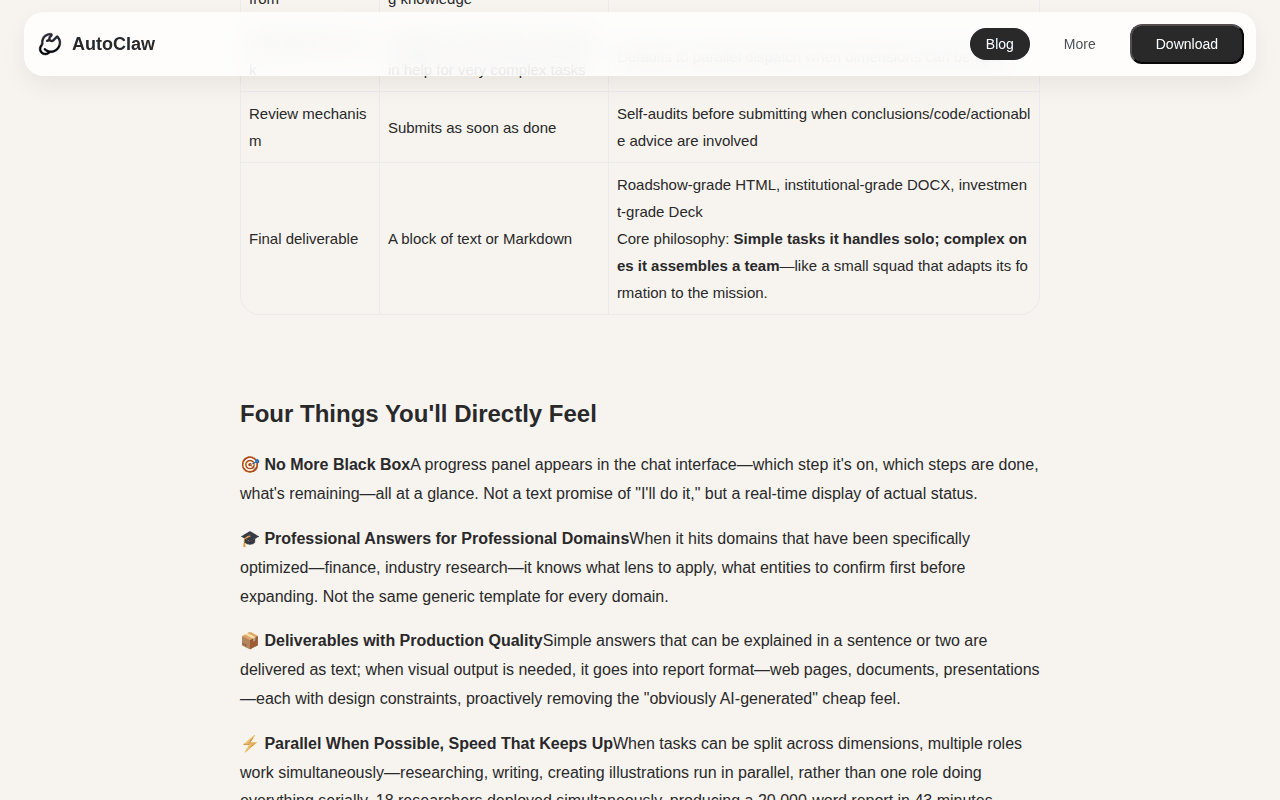 Screenshot: autoclaw.z.ai, “AutoClaw Cluster Mode: Making AI Work Like a Professional Team | AutoClaw Blog” (May 29, 2026), captured Sep 19, 2026.
Two rows deserve a note. The Kimi sub-agent card and the AutoClaw progress panel are both process cards with no documented stop. Kimi’s 3.2.6 release on Sep 7 at least says “Users will now be asked to confirm any still-running scheduled tasks before quitting the app”; AutoClaw’s pages say nothing about a cluster run when you close the window, so the honest cell is that the docs do not say. The Cluster Mode versus stall flags piece works out who owns that gap on one laptop, and the stall flags and keepalive piece is the day-in-the-life of the last row.
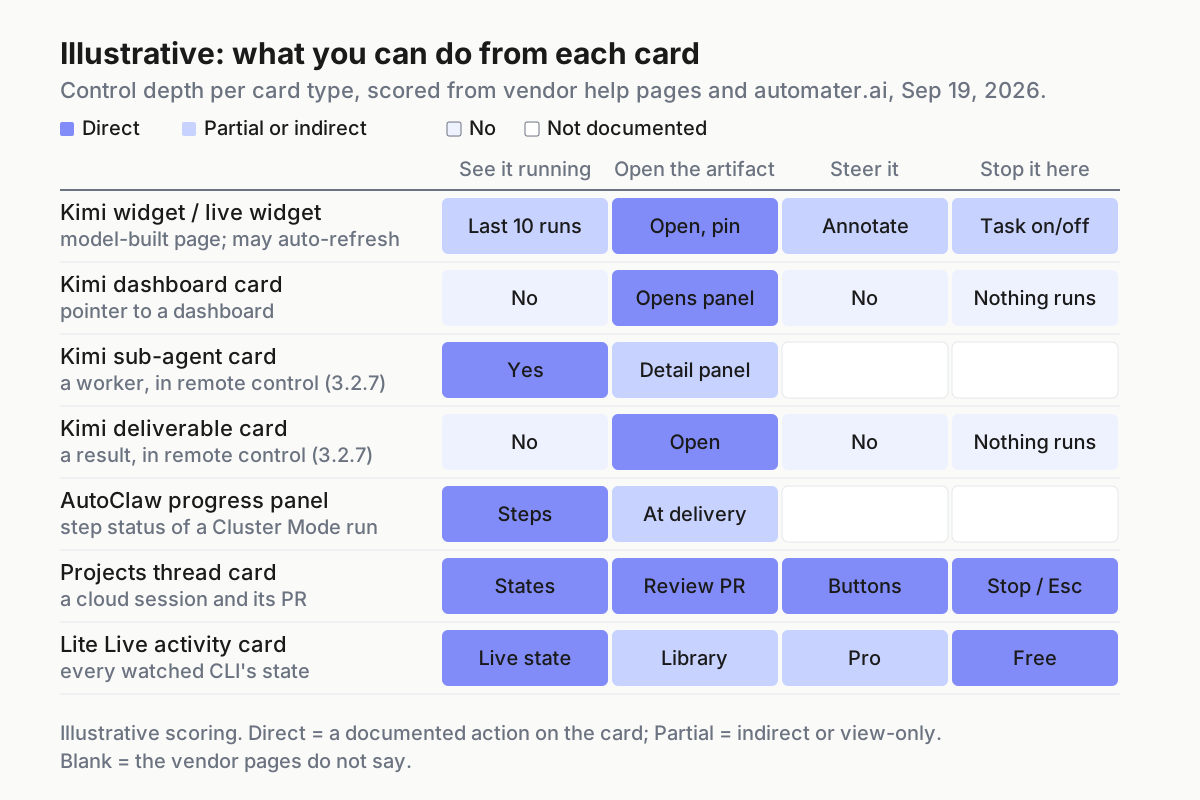 Illustrative: control depth per card, scored from vendor pages on Sep 19, 2026. Dark cells are direct actions; blank cells are things the pages do not document.
Write the map for your team in five steps
Step 1: inventory every card-bearing surface on one machine
Walk one laptop, not the org. List every app that draws a card over an agent: the Kimi Work client (chat, Dashboard, remote control), AutoClaw (chat and the IM channels feeding it), the Claude Code desktop app or claude.ai/code (Overview, thread cards), and whatever tray companion watches the CLIs. For each, list the card types it can show, from the vendor’s pages rather than memory. Note the undocumented ones too; those are the cards people invent meanings for.
Step 2: assign one primary noun per card type, in a file
Write it as something the team can diff. Illustrative shape:
# card-dialects.yaml (illustrative; one laptop, Sep 2026)
kimi_work:
  widget:           { noun: artifact, home: dashboard,     notify: never }
  live_widget:      { noun: artifact, home: dashboard,     notify: task_failed }
  dashboard_card:   { noun: artifact, home: chat_pointer,  notify: never }
  sub_agent_card:   { noun: process,  kill: docs_do_not_say, notify: stalled }
  deliverable_card: { noun: artifact, home: chat,          notify: arrived }
autoclaw:
  progress_panel:   { noun: process,  kill: docs_do_not_say, notify: stalled }
claude_code_projects:
  thread_card:      { noun: process,  gate: waiting_on_you, kill: stop_or_esc, kill_all: pause }
tray:
  live_activity:    { noun: process,  gate: needs_you,      kill: stop_cancel_revoke }
Nothing enforces this file, which is the point. It is a shared reading, the way a runbook is. When a vendor ships a new card type (Kimi has shipped 17 release entries since Jul 29), the diff is the conversation.
Step 3: name the kill owner for every process card
For each process card, write who stops the thing and from where. Projects gives you a per-thread Stop and a per-project Pause that “stops everything at once”. A tray companion gives you stop, cancel and revoke on the CLIs it watches.
For the two rows where the pages are silent, the Kimi sub-agent card and the AutoClaw panel, do not invent a control. Write the owner as a person plus an OS-level fallback (ending the app), and note that what a half-finished run does on an app close is undocumented. A kill owner named as a person beats one named as a feature that does not exist.
Step 4: route every gate to where the answer actually lands
Gates are where dialects hurt most, because the yes has to land somewhere specific. Projects is explicit: the prompt lives inside the thread, and saying go ahead in the coordinator chat does not reach it.
Kimi Work’s gates are its three permission levels, and with Manual approval “nothing happens without your consent”; annotation is not one of those levels. Annotations are “listed in chronological order, up to 10 entries”: commentary, not consent, and the annotation-is-not-approval piece is the long version. AutoClaw’s one documented gate is Hermes self-evolution, “Three steps: You speak → It proposes → You approve.” (AutoClaw: Hermes self-evolution).
A tray’s gate is the Needs You flag, which points you at a prompt that lives in the CLI’s own terminal. Add a column to your map for where the yes must be typed. The approval-queue hygiene piece covers what to do when that column fills up.
Step 5: set a toast budget per noun
Artifacts never notify; you go to them. Processes notify only when they stop moving. Gates are the only cards that may interrupt. As one rule: a notification is a gate or a stopped process, nothing else.
Projects desktop notifications fire “when Claude posts in the conversation, a thread hits an error, or a thread needs your input”; the last two pass, the first is chatter. A widget that refreshes on a schedule is an artifact, so if it toasts, the toast is the bug.
Five ways agent dashboard cards get misread, and the signal for each
An artifact gets read as a gate. Signal: an annotation on a widget that reads like sign-off. Cause: annotation mode is the only comment-shaped control on the Dashboard. Fix: the gate column in your map, and the Manual approval level for anything consequential.
A gate gets answered in the wrong place. Signal: a Projects thread parked in Waiting on you for an hour while the coordinator chat holds three variations of go ahead. Cause: the prompt lives inside the thread. Fix: step 4’s column. Open the thread, answer there.
A process gets read as an artifact. Signal: a sub-agent card dismissed on the phone, or an AutoClaw chat closed at step three of five, and a meter that kept moving. Cause: neither card documents a stop, so closing the view feels like stopping the work. Fix: step 3’s kill owner, and a rule that process cards are stopped, never closed.
Card counts drift into limits. Signal: Kimi refuses a third dashboard or a twenty-first widget (“Each user can create up to 2 dashboards.” and “Each dashboard can hold up to 20 widgets.”), or a project hits the 200-thread daily cap. Cause: artifacts accumulate because nobody deletes them, and Delete is permanent. Fix: a weekly artifact sweep, plus the map’s home column.
Same word, two products. Signal: someone asks why AutoClaw’s pin setting does nothing to the desktop. Cause: Kimi’s Pin to Desktop makes a standalone window; AutoClaw’s “Disabled default pinning for conversations.” (v1.15.3, Aug 4, 2026) is about conversation pins (AutoClaw changelog). Fix: the map names the vendor next to the verb.
Cards are the operating unit only if one desk can read them all
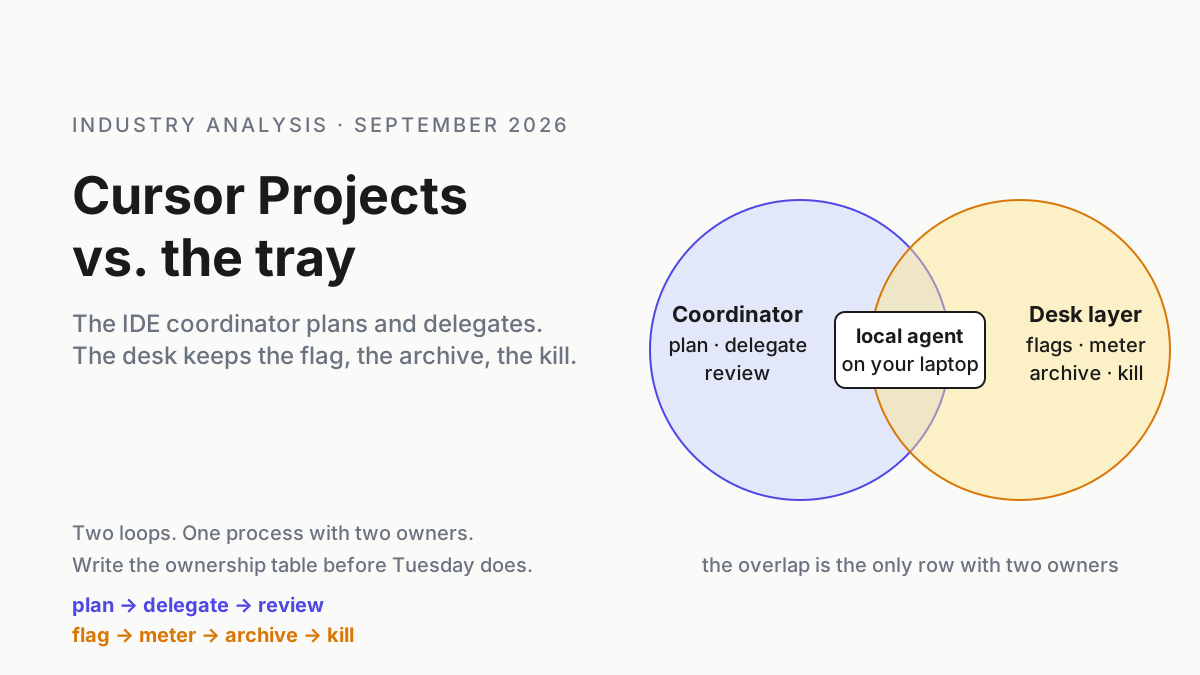
Name the four dialects and the pattern is plain: every vendor draws cards over the things it runs, and none draws cards over the things another vendor runs. Kimi sub-agent cards are on the phone; AutoClaw’s panel is in its chat; Projects threads are in Anthropic’s cloud UI, whose coordinator “sees what threads report back, not every step they take”; the local CLIs write transcripts nobody’s card shows. The desk-level operating layer is the one surface whose job is to read all of them in one vocabulary, and the multi-agent command center thesis is the long argument for why that layer sits with the operator, not any vendor. The Cursor Projects versus tray piece asked the same ownership question of the IDE coordinator.
On Windows that desk layer is what Automater’s tray is. Automater Lite is a free desktop tray companion for Windows.
The homepage calls its surface Home cards and counts seven (Live activity, Session library, Usage, Grok Bots and the rest), and in this piece’s vocabulary they are process and gate cards over the CLIs installed on the machine: fleet awareness of what is running, stall flags (“Amber the moment an agent blocks on you.”), Needs You flags for questions and permission prompts, keepalive so the watcher survives a reboot, a local token meter, the local Library for transcripts, and vault redaction (Automater). “Approval visibility never goes behind the paywall.” Pro adds managed sessions that start, steer, interrupt and stop from the panel, pop-outs that put a Home card in its own standalone mini-app, diagnostics, and built-in Files, Terminal and Browser.
What it does not do belongs on the map too: it draws no cards over Kimi’s sub-agents, AutoClaw’s roles or a project’s cloud threads, and while Kimi Work sessions land in the Library, AutoClaw is not among the apps it detects, so an AutoClaw run leaves no card. Automater Lite is free on automater.ai; Pro is $50/year.
One boss reading four dialects is a smaller ask than four bosses agreeing on one. The map is the boss’s phrasebook.
FAQ: agent dashboard cards
What is an agent dashboard card?
An agent dashboard card is a UI tile that stands for something an agent runs, built, or needs from you. In September 2026 the word covers Kimi Work widgets and sub-agent cards, AutoClaw progress panels, Claude Code Projects thread cards and tray Home cards, so read each as a process, artifact or gate first.
Is a Kimi Work sub-agent card the same as a deliverable card?
No. Both arrived in Kimi Work 3.2.7 on Sep 11, 2026, in remote control, but a sub-agent card stands for a worker that is still running and a deliverable card stands for a finished result. The first is a process with an undocumented stop; the second is an artifact you open, read and file.
Who stops a running agent shown on a dashboard card?
Whoever the card’s dialect says, and the pages do not always say. Claude Code Projects gives Stop per thread and Pause per project; a tray companion gives stop, cancel and revoke on the CLIs it watches; Kimi sub-agent cards and AutoClaw progress panels document no stop, so name a person and an OS-level fallback.
Sources
- Kimi Work release notes: 3.2.11 (2026-09-18), 3.2.7 (2026-09-11), 3.2.6 (2026-09-07), 3.2.5 (2026-09-04), 3.1.8 (2026-08-11)
- Kimi Work help: Widgets
- Kimi Work help: Dashboard
- Kimi Work help: Overview (Agent Swarm, permission levels)
- AutoClaw blog: the Cluster Mode post (May 29, 2026)
- AutoClaw: Hermes self-evolution (Jun 1, 2026)
- AutoClaw changelog: v1.15.3 (2026-08-04)
- Anthropic: Projects redesigned: from folder to conversation (Sep 17, 2026)
- Claude Code docs: Let Claude coordinate ongoing work with Projects
- Automater homepage: Home cards, Live activity, Pro