AutoClaw Connectors: The Weekly Blast-Radius Inventory
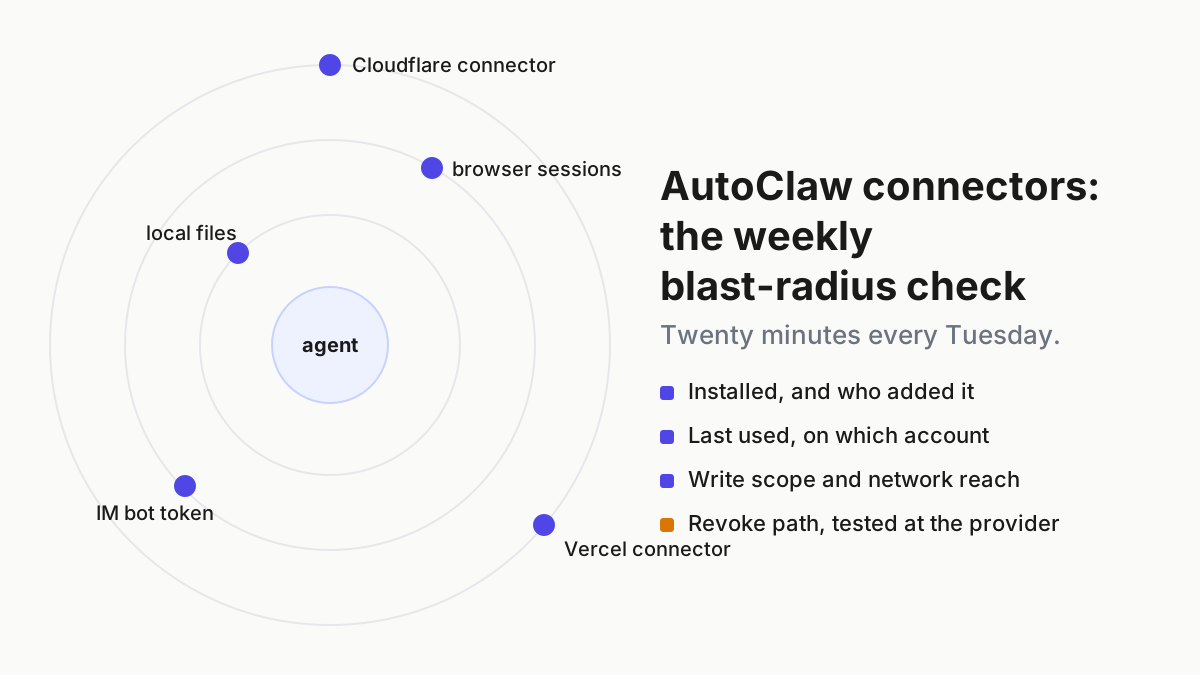
AutoClaw connectors ship with no scope or revoke docs. Run a weekly inventory: what is installed, who added it, last used, write scope and a tested revoke path.

Go deeper. Build your own.
Two bullets, six days apart, and that is the whole public record. On Aug 4, 2026, AutoClaw v1.15.3 “Added connector feature, enabling Agents to connect to external applications and services.” On Aug 10, v1.16.2 “Added Cloudflare and Vercel connectors”. There is no connectors page on autoclaw.z.ai, no statement of what a connector may read or write, no note on who can add one, and no instruction for taking one away. AutoClaw connectors are a capability with two changelog bullets and nothing else.
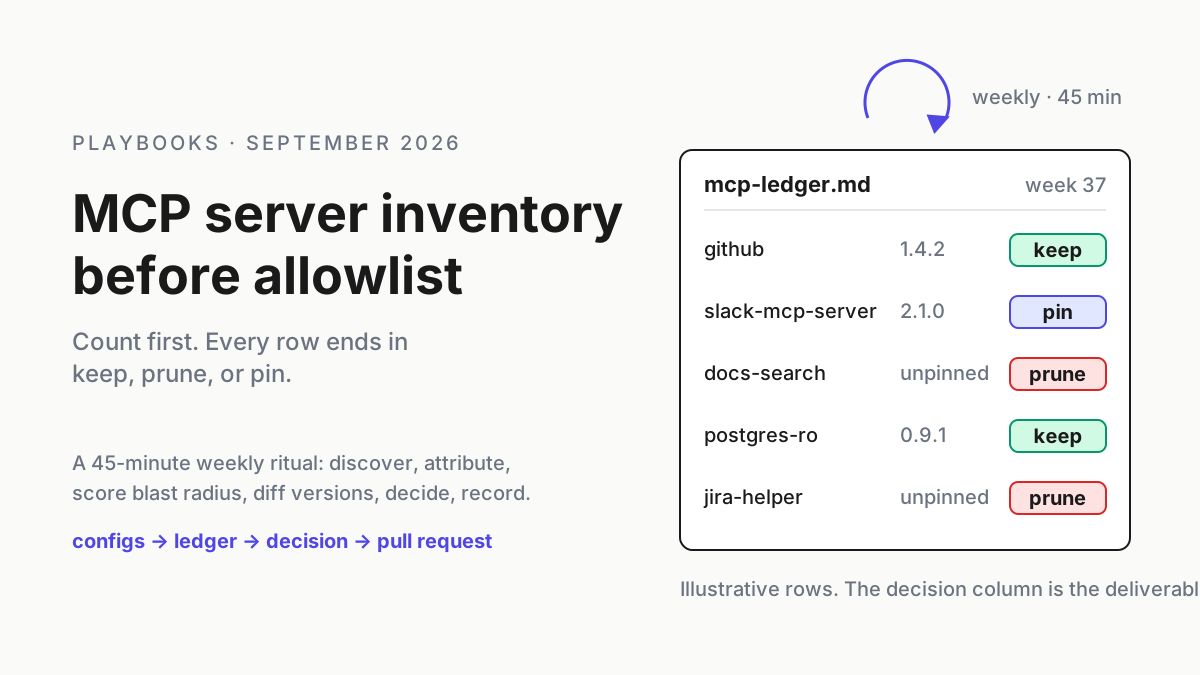
An operator does not get to wait for the docs. A connector on a desktop digital employee is a credential the agent can spend, bound to an account somebody signed into, reachable from a chat message. The ritual for that already exists in your fleet: the live MCP server inventory ritual is the template, and this piece does not re-teach it. It applies the same shape to a product that publishes less.
Weekly, twenty minutes, six columns: what is installed, who added it, when it was last used, what it can write, how far it reaches, and the revoke path that has actually been tested.
By Tuesday the first pass is done and the second is on the calendar. What follows is the loop, the scoring, the record, and the failure modes that show up in the first month.
Aug 4 to Aug 10, 2026: connectors arrive, and the docs stay two bullets
The AutoClaw changelog tells the story in order. v1.14.1 (Jul 23): “Create, publish, and bring your website to life with AutoClaw.” v1.15.3 (Aug 4): the connector feature itself, plus “Hover to view detailed model consumption statistics, making cost tracking more transparent.” v1.16.2 (Aug 10): “Added Cloudflare and Vercel connectors”, in the same entry as “Fixed model switching, credit deduction, and Gateway connection issues” and “Improved scheduled task reliability”. Website publishing came first; the Cloudflare and Vercel connectors followed 18 days later; and the cost meter arrived in between.
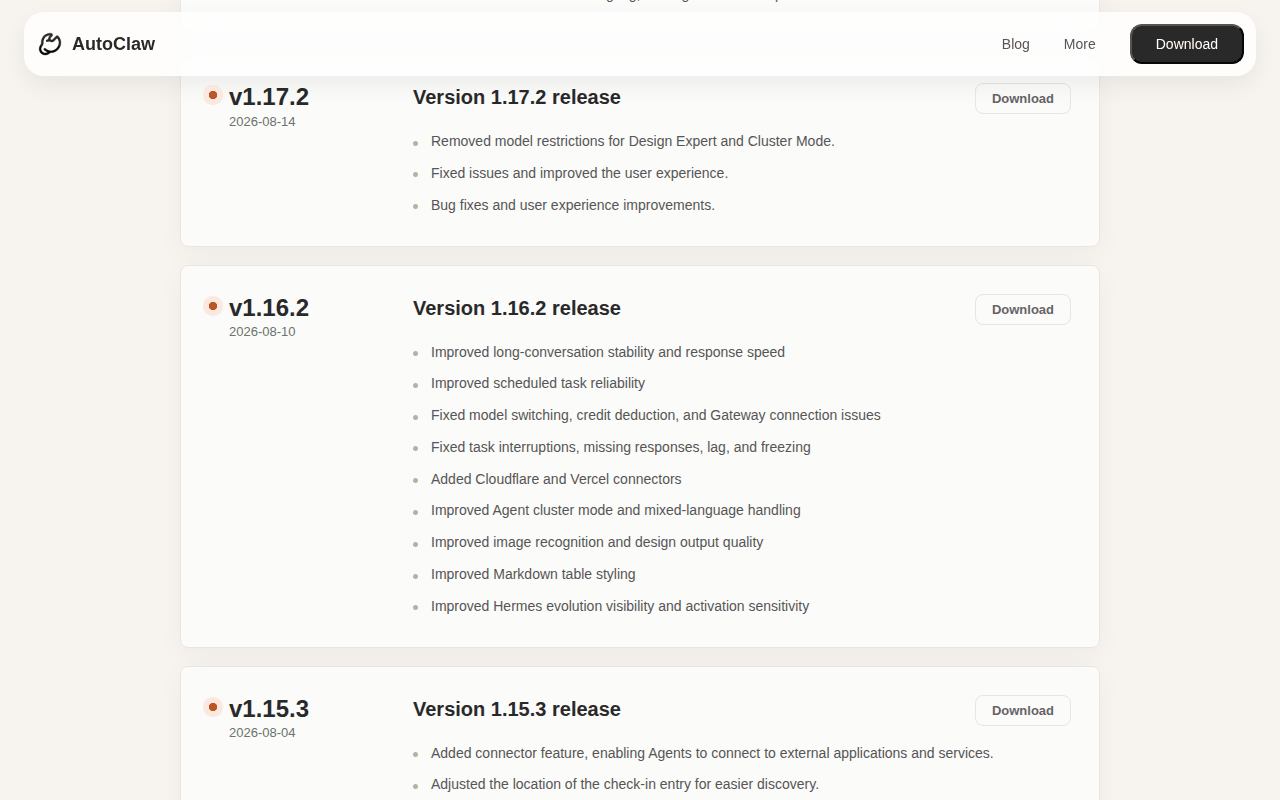 Screenshot: autoclaw.z.ai, “AutoClaw Changelog | Product Release Notes” (v1.16.2, 2026-08-10), captured Sep 19, 2026.
No connector has been added since. The newest entry, v1.17.8 on Aug 27, is about GLM-5.3-Flash and a credits promotion, and the app’s official account spent the same week naming the model and announcing a rewards window. Six weeks on, the connector feature has had no follow-up entry, no page, and no scope statement.
The absence is specific, so name it precisely. The site has no security model: no sandboxing description, no permission prompt, no tool allowlist, nothing on what a skill or connector may touch. It documents no revoke path for a connector or a bot. The only revoke language anywhere is in the privacy policy, and it is about OS permissions: “Once granted, you may disable such permissions at any time through your device’s system settings.”
The homepage FAQ hands the rest to you: “For private files or enterprise accounts, teams should configure access according to their own security policies.” Read that as the vendor’s scope statement. The scope is whatever your policy says, and if you have no policy, the scope is everything the account can do.
What the comparators publish, and what they still leave to you
Two neighbours show what a thin-but-present connector story looks like, and both are useful as a bar rather than a model.
Kimi Work calls its equivalents plugins. Its release notes for 3.2.6 (2026-09-07) say “The plugin detail page now shows MCP connection status and supports connection management” and “Added support for installing plugins via GitHub links”; 3.2.7 (2026-09-11) adds “Added a website deployment plugin: once installed, deploy local website projects to the cloud in one step”. The Dashboard resource page carries the sentence every connector page should have: “Plugins extend Kimi Work with access to external data and third-party services. … Features and authorization requirements vary by plugin, so review the requested access before using one.”
Since 3.2.0 the real-browser plugin is off by default and enabled in Settings, and so is Chrome cookie import on Mac. That is a connection status, a review-before-use instruction, and off-by-default reach. It is still not a scope table or a revoke procedure.
OpenClaw, the engine AutoClaw says it is built on, publishes the most and promises the least. Its gateway security page opens on conservative defaults and openclaw security audit, then notes “One trust boundary per gateway.”; its README says “Tools run on the host for the main session unless you configure sandboxing.” and the architecture page states plainly that “sandboxing is off by default in OpenClaw.”
The Sep 16, 2026 security post reports “Since January, 722 fixes have been published. Fourteen reports resulted in confirmed critical vulnerabilities; all of them had been fixed and disclosed.” and lists where the fixes land: “Where fixes are happening, from gateway authentication and scopes to sandboxing, approvals, connectors, filesystem handling, plugins, skills, and network access.” Connectors are a named fix area upstream. Downstream, they are two bullets.
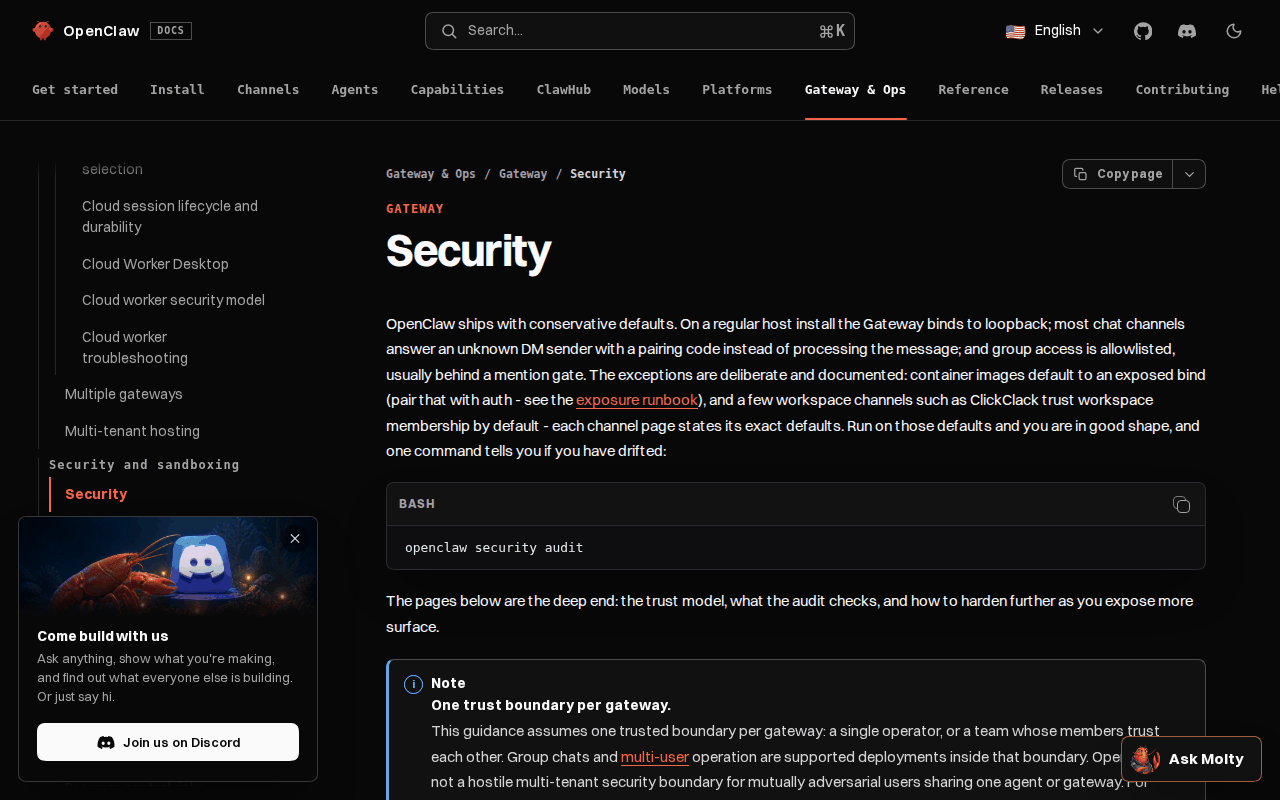 Screenshot: docs.openclaw.ai, “Security - OpenClaw” (Gateway & Ops, undated), captured Sep 19, 2026.
| AutoClaw | Kimi Work | OpenClaw | |
|---|---|---|---|
| Connector or plugin page | none; two changelog bullets | plugin detail page with MCP connection status (3.2.6) | docs for plugins, skills, sandboxing, security |
| Scope statement | none | “review the requested access before using one” | tools run on the host unless sandboxing is configured (README) |
| Off by default | not stated | browser control, cookie import (Mac) off since 3.2.0 | sandboxing off by default; loopback bind, pairing codes |
| Revoke or disconnect | not documented | “supports connection management” (3.2.6) | openclaw security audit; incident-response doc |
| Security disclosures | none | not on these pages | 722 fixes, 14 criticals since January (Sep 16 post) |
The working assumption falls out of the table. Until AutoClaw says otherwise, treat an AutoClaw connector as having the reach of the upstream engine on the host with sandboxing off: whatever the bound account can do, the agent can do, from any chat that can reach it. Engine versus metered car is the buy-or-build view of that same gap.
The weekly AutoClaw connectors loop, step by step
Six steps, twenty minutes, one row per connector. The diagram is the loop; the steps are what each node means on this product.
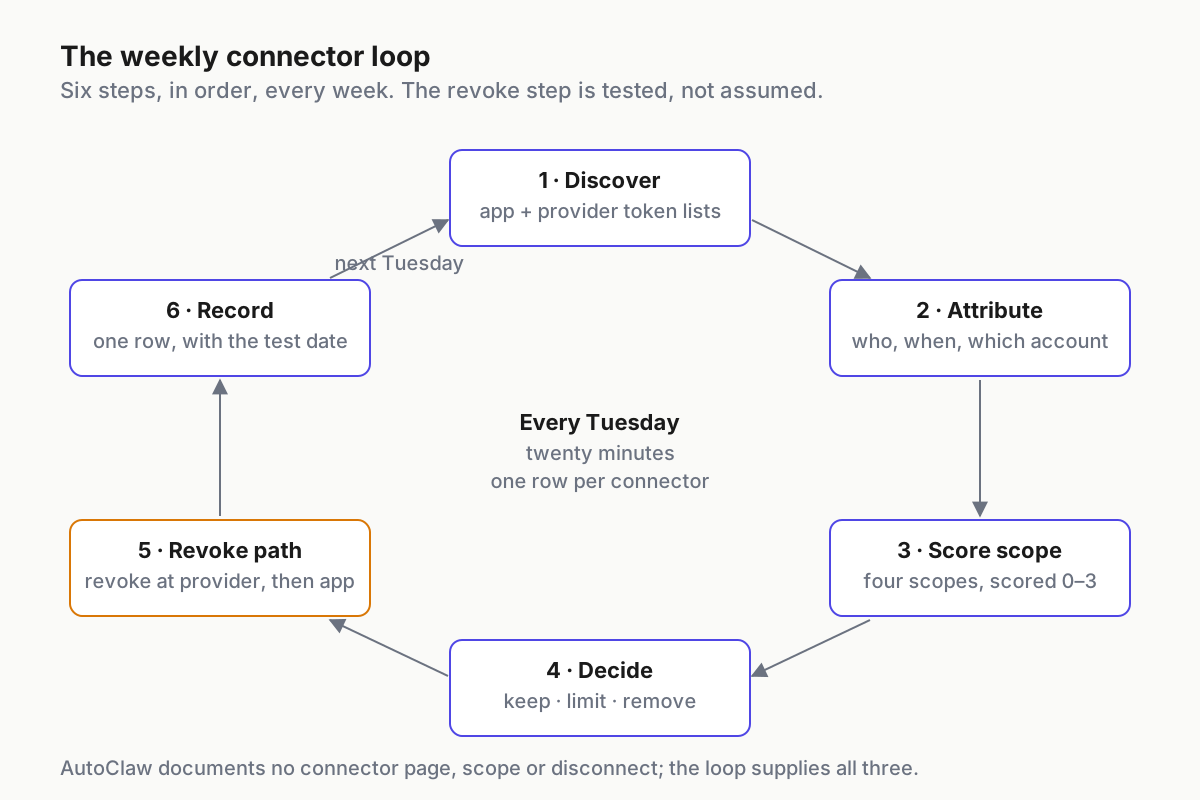 The loop closes on the record, and the record is what next week’s discovery is checked against.
Step 1: Discover from both ends, because the app lists nothing
Open the app and go through every place a connection can live: the connector settings, “Settings → IM Channels” for bot bindings, scheduled tasks, and the four Hermes memory files, since the vendor’s own post says TOOLS.md holds “Commonly used camera names, SSH addresses”. Then discover from the provider side. Every connector is bound to a Cloudflare or Vercel account by some token or authorization (the auth method is not documented); that account’s token and authorized-integration lists are the second source of truth, and they are the ones the app cannot hide from you.
Diff the two lists. A credential on the provider side with no matching connector in the app is a leftover from a removed connector, or from a second install on another machine. A connector in the app with no provider-side credential you can find is bound to an account you do not control. Both are findings, and the second one goes straight to Step 5.
Step 2: Attribute every connector to a person, a date and an account
Three fields, none optional: who added it, when, and which account it is bound to (personal or organisation, and whose). The changelog gives you a lower bound on the date, Aug 10, 2026, and nothing else. If nobody can say who added a connector, the row is owned by the operator running the inventory until someone claims it, and unclaimed rows go to Limit at the end of the week. Shadow MCP is the same finding under a different name.
Step 3: Score scope on four axes the vendor does not publish
Read, write, network reach, credential held, each 0 to 3. The heat table is a first-pass model, labelled illustrative because AutoClaw states none of these; its job is to give the row a number before you have tested anything.
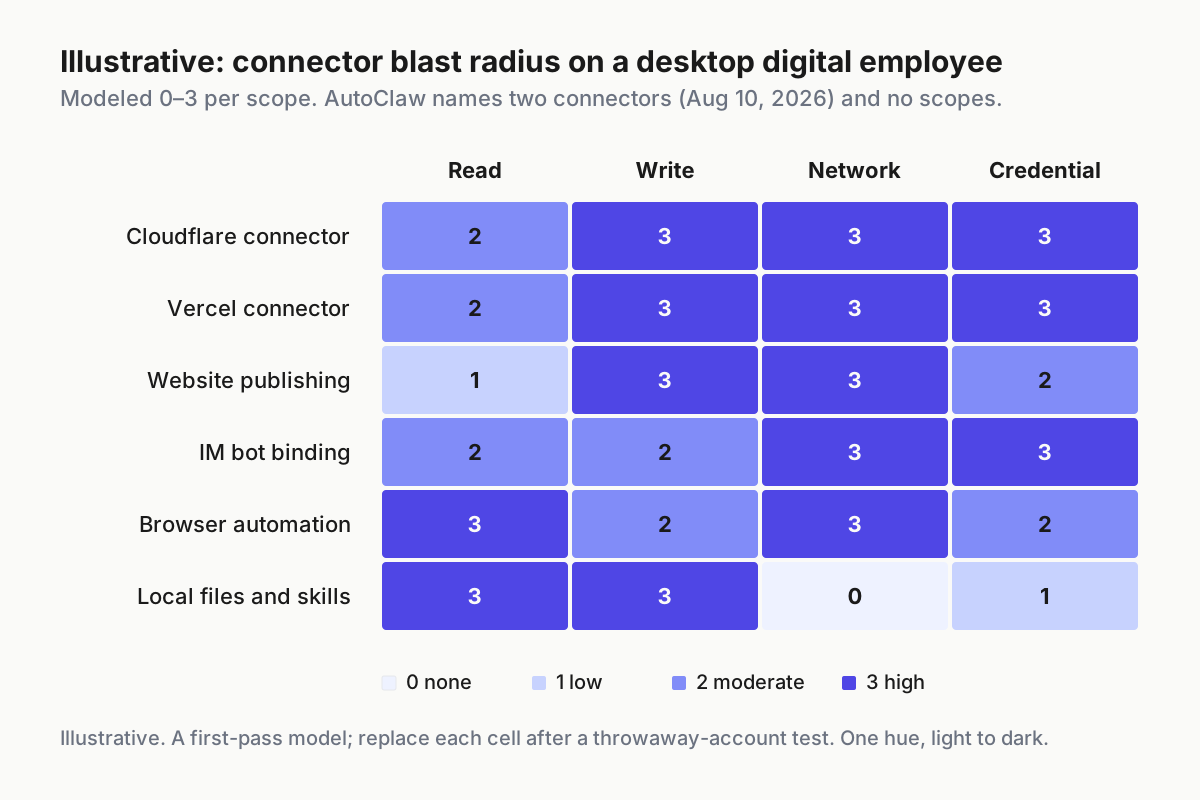 Illustrative. Scores are modeled for a first pass; the vendor publishes no scopes. Replace each cell after a throwaway-account test.
The two named connectors score high on write, network and credential because that is what a deployment integration is for. Website publishing sits beside them because v1.14.1 shipped it before either connector existed, and a publish path that can reach a real zone through a connector is the combination that matters. The IM bot row is here on purpose: a bot token is a connector in everything but name, and IM channel allowlists for digital employees is where its own controls live.
Replace the model with a test. Create a throwaway Cloudflare zone or Vercel project on an account that owns nothing else, bind the connector, and ask the agent in plain language to change, publish and delete.
What it can do without asking is the write score. What it asks before doing is the gate you have. Write both down.
Step 4: Decide keep, limit or remove, with rules you wrote last week
Decisions are made against rules, not moods, so write the rules once:
- Any connector bound to an organisation account from a personal install is Remove.
- Any write-capable connector with no named owner is Limit until claimed, Remove after two weeks.
- Any connector not used in fourteen days is Remove; re-adding it costs ten minutes, and that is the point. It is the rule people push back on, and the one I would keep if I could keep only one.
- Any connector whose revoke path has not been tested is Limit, whatever else is true.
Limit on this product means the connector is off between uses (disabled in the app if your build offers that, or its provider-side credential revoked) and turned on for a named window by a named person, because there is no documented scope knob to turn down. Approve-once is dead argues the general case; here the docs describe no approve step at all, so switching the connector on for a window is the approval.
Step 5: Revoke at the provider first, then in the app, then verify
The app documents no disconnect. So the revoke path runs in the only order that works when one end is undocumented:
- Provider first. Delete the token or revoke the authorization in the Cloudflare or Vercel account the connector is bound to. This is the step that actually ends the connector’s reach, and it works whether or not the app cooperates.
- App second. Remove the connector in AutoClaw’s settings, if the UI offers it on your build. Whether removal clears the stored credential is not documented; treat the provider step as the one that counts.
- Verify. Ask the agent for something that needs the connector and watch it fail. A revoke that has not been watched failing is a belief.
Do this once on a Tuesday with the throwaway account from Step 3, and record the date. The same order applies to bot tokens: the platform that issued the token revokes it, and the app’s Add Account flow has no documented undo. The digital-employee inventory carries the wider kill path; this is the connector rung of it.
Step 6: Record one row per connector, with the test date
# connector-ledger.yaml (illustrative shape); one row per connector, one file per host
- host: laptop-07
  member: autoclaw
  connector: vercel
  provider_account: org-web@company.example   # who minted the credential
  added_by: maya
  added_on: 2026-08-18                        # changelog lower bound: 2026-08-10
  last_used: 2026-09-15
  scope: {read: 2, write: 3, network: 3, credential: 3}   # illustrative, until tested
  tested_on: 2026-09-22
  revoke_path: provider-first; app-remove; verified-fail
  state: limit                                 # keep | limit | remove
  window: "publish preview, Tue 14:00–15:00, maya"
The row is the whole product of the ritual. Next Tuesday’s discovery is checked against it, last_used moves or it does not, and a row that has not moved in two weeks removes itself under the Step 4 rules.
Five AutoClaw connector failures in the first month, and the signal for each
The connector nobody added. Two connectors shipped in one update, and whether they arrive enabled or need setup is not stated. Signal: a Step 1 diff with a provider-side credential nobody in the ledger claims. Fix: Step 5, provider first, then a ledger row with added_by: unknown so the finding survives.
Personal install, organisation zone. Someone bound a work Cloudflare account to the app on a personal laptop. Signal: provider_account and host disagree about who owns what. Fix: the Remove rule, and a provider-side token that lives in an account the organisation controls.
The publish that was not a preview. Website publishing plus a live connector means a chat message can push a site. Signal: a deployment in the provider’s activity log at a time nobody was at the keyboard. Fix: write-capable connectors off outside a named window; the scheduled-task list from Step 1 is where the after-hours trigger usually hides.
The revoke that did not. Removed in the app, token still valid at the provider. Signal: the provider’s token list still shows it a week later. Fix: the order in Step 5 is not a preference.
The credit meter as the only alarm. The hover-to-view consumption statistics from v1.15.3 are the closest thing to a usage log the app offers. Signal: model spend on a day with no connector window open. Fix: treat unexplained spend as unexplained reach until the ledger says otherwise.
The ledger is the operating layer the vendor skipped
None of this asks AutoClaw for a feature. A desktop digital employee with connectors is a privileged user on the host, and agents as privileged users is the frame: the account is the boundary, the ledger is the access review, and the revoke test is the offboarding drill. When the vendor publishes a scope table, the loop gets faster. Until then the loop is the scope table.
The same row shape works for every desktop agent on the machine, whichever vendor bundled it, which is why it belongs in the desk-level policy rather than in any one app’s settings. Restricted mode as fleet policy is the wider version of that argument: per-host rules that outlive whatever the next changelog adds.
FAQ: AutoClaw connectors
What connectors does AutoClaw support?
As of Sep 19, 2026, the changelog names two: Cloudflare and Vercel, added in v1.16.2 on Aug 10, 2026, on top of a connector feature introduced in v1.15.3 on Aug 4. No connectors page exists, and no other connector is named anywhere on autoclaw.z.ai. IM bots are configured separately under IM Channels.
How do you revoke an AutoClaw connector?
AutoClaw does not document a disconnect. Revoke at the provider first: delete the token or revoke the authorization in the Cloudflare or Vercel account it is bound to, then remove it in the app if your build allows, then ask the agent for something that needs the connector and confirm it fails. Record the date.
Sources
- AutoClaw changelog — v1.14.1 (2026-07-23) website publishing; v1.15.3 (08-04) connector feature; v1.16.2 (08-10) Cloudflare and Vercel connectors
- AutoClaw homepage — FAQ: teams should configure access according to their own security policies
- AutoClaw privacy policy — effective Mar 25, 2026; OS-permission revoke language
- Kimi Work release notes — 3.2.6 (2026-09-07) MCP connection status; 3.2.7 (2026-09-11) website deployment plugin; 3.2.0 off-by-default browser plugin
- Kimi Work Dashboard resource page — updated 2026-09-11; review requested access before using a plugin
- OpenClaw: where to find security updates — Sep 16, 2026; 722 fixes, 14 criticals; connectors among fix areas
- OpenClaw gateway security docs — one trust boundary per gateway;
openclaw security audit - OpenClaw: why OpenClaw — “sandboxing is off by default in OpenClaw”
- openclaw/openclaw README — tools run on the host unless you configure sandboxing