Managed Permissions Users Can’t Override — Test It Across Harnesses
Copilot enterprise managed permissions claim users can't override them. Prove it: one deny, ten bypass rows, run in Copilot, Claude Code, Codex and JetBrains.

Go deeper. Build your own.
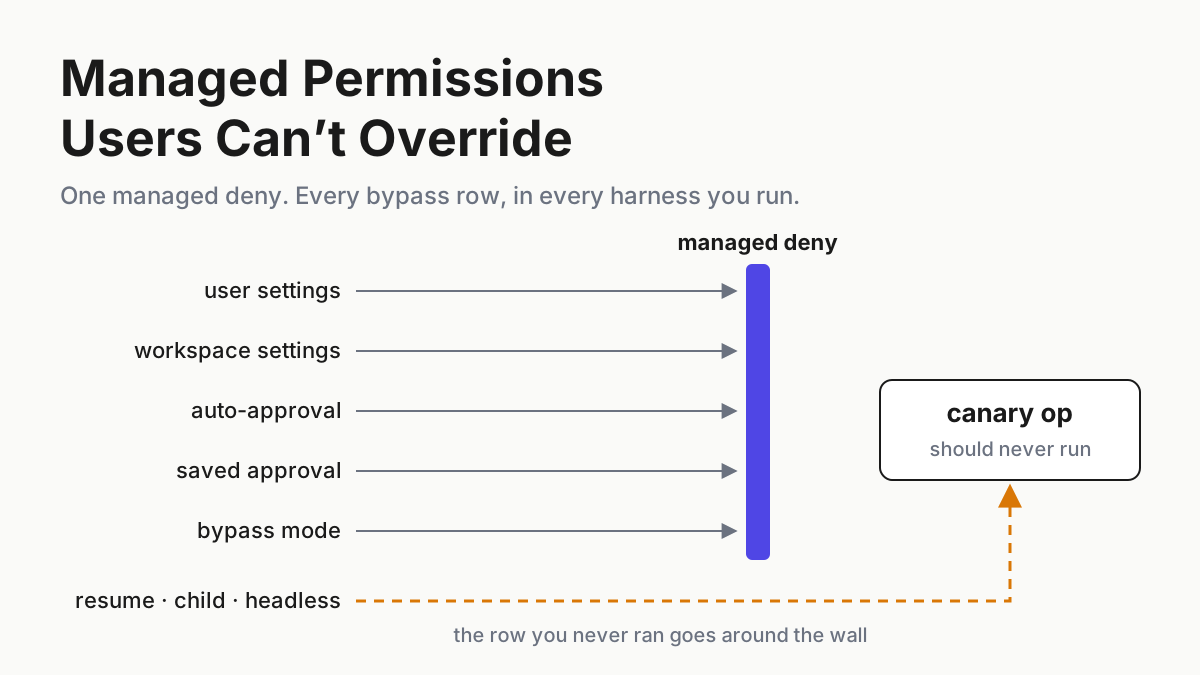
On Sep 9, GitHub shipped a sentence you can test. Copilot enterprise managed permissions, its changelog says, can’t be weakened by user or workspace settings, auto-approval, or previously saved approvals. Most vendors describe a precedence order and leave it there. This one named the bypass paths, and a named bypass path is a test case.
Your fleet doesn’t run one harness, though. The same deny list has to hold in Copilot, in Claude Code, in whatever Codex lanes you keep, and on the JetBrains seats where the managed sandbox is still a preview. Each delivers policy its own way, and each ships convenience features built to cut prompts. On a chatbot, a permission prompt guards what it says. On an agent, it guards what runs on the machine, so every feature that removes a prompt is a candidate override.
By Tuesday you’ll have one override test: a managed deny and a managed ask on harmless canary operations, a receipt check that proves each lane received the policy, ten bypass rows run on every harness you operate, and a log that records harness, version, expected and observed for every row. Rows that disagree get fixed or flagged, in writing, with an owner.
Sep 9: Copilot enterprise managed permissions go GA with the bypass paths named
GitHub made enterprise managed permissions for Copilot agent operations generally available on Sep 9, 2026, for Copilot Business and Enterprise. Admins mark shell commands, file reads and edits, and network domains as blocked, needing human approval, or allowed without a prompt, and can give different enterprise teams their own policies. The GA surfaces are the Copilot app, Copilot CLI and VS Code sessions that use Agent Host. The line to hold GitHub to: “Managed restrictions can’t be weakened by user or workspace settings, auto-approval, or previously saved approvals.”
The enterprise managed settings reference goes further than the changelog. Rules resolve deny > ask > allow. “A deny rule set by any managed settings source blocks the operation for all users regardless of rules in the other sources.” Allowlists intersect across sources instead of adding up. Once any managed source defines a rule or an allowlist, an unmatched supported operation defaults to requiring approval. And the ask rule carries a longer bypass list than the changelog: “A managed ask rule can’t be satisfied by bypass mode (also known as allow-all or YOLO mode), an auto-approval setting, a hook or other approval shortcut, or a grant persisted from an earlier approval.”
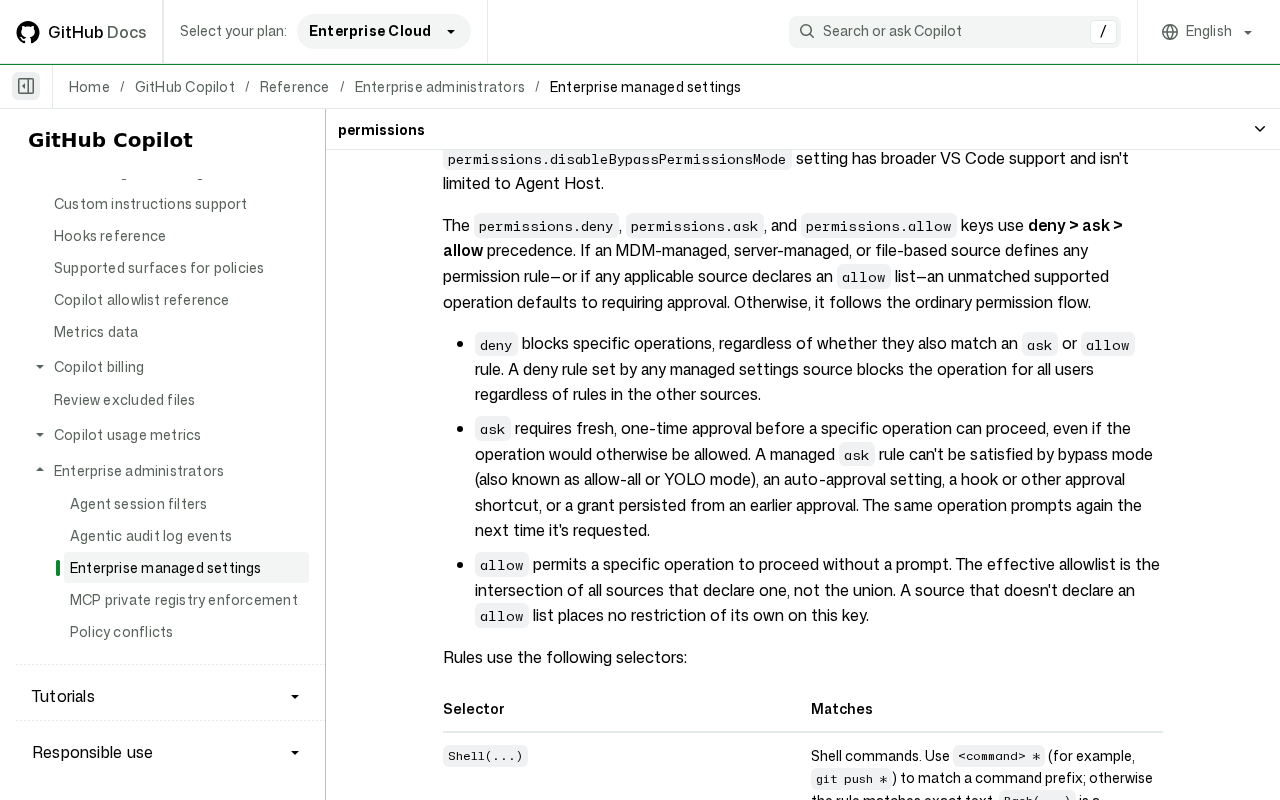 Screenshot: GitHub Docs, “Enterprise managed settings - GitHub Enterprise Cloud Docs” (undated), captured Sep 21, 2026.
The same page carries a client support table, and it decides what your test can even measure. permissions.deny, ask and allow are marked Not supported in Copilot cloud agent and in JetBrains IDEs. In VS Code, “these granular permission rules apply to Copilot sessions that use Agent Host.” Step 3 turns that table into your n/a cells.
Two neighbours landed the same fortnight. On Sep 8, GitHub put an enterprise-managed sandbox in Copilot for JetBrains into public preview: managed control over sandbox enablement, filesystem and network access, proxy settings, developer-tool access and macOS Keychain access, locked controls in the IDE, and enterprise policy diagnostics to confirm policies are detected and enforced on the device. On Sep 17, Claude Code 2.1.274 added a claude_code.managed_settings_resolved OpenTelemetry event that reports managed-settings sources and policy helper state, with redacted settings and digests when OTEL_LOG_MANAGED_SETTINGS=1 is set.
Where Copilot enterprise managed permissions and Claude Code part ways
One-harness testing fails at the second policy source, because Copilot and Claude Code disagree about what two managed sources mean.
Copilot merges. Any source’s deny wins, and allowlists intersect. Claude Code’s managed tier is first-wins by default: per its managed-settings docs, it uses the highest-ranked source that delivers at least one policy key and ignores the rest rather than merging them. “Claude Code shows no warning for the sources it skips; /status names the source it used and the ones it skipped.” A merge mode exists, opt-in from v2.1.242.
So on Claude Code, a deny delivered through a lower-ranked managed source, while a higher-ranked source delivers even one policy key, is absent on that machine. Nothing errors. The lane runs as if you never wrote the rule, and the same two-source setup on Copilot would have held.
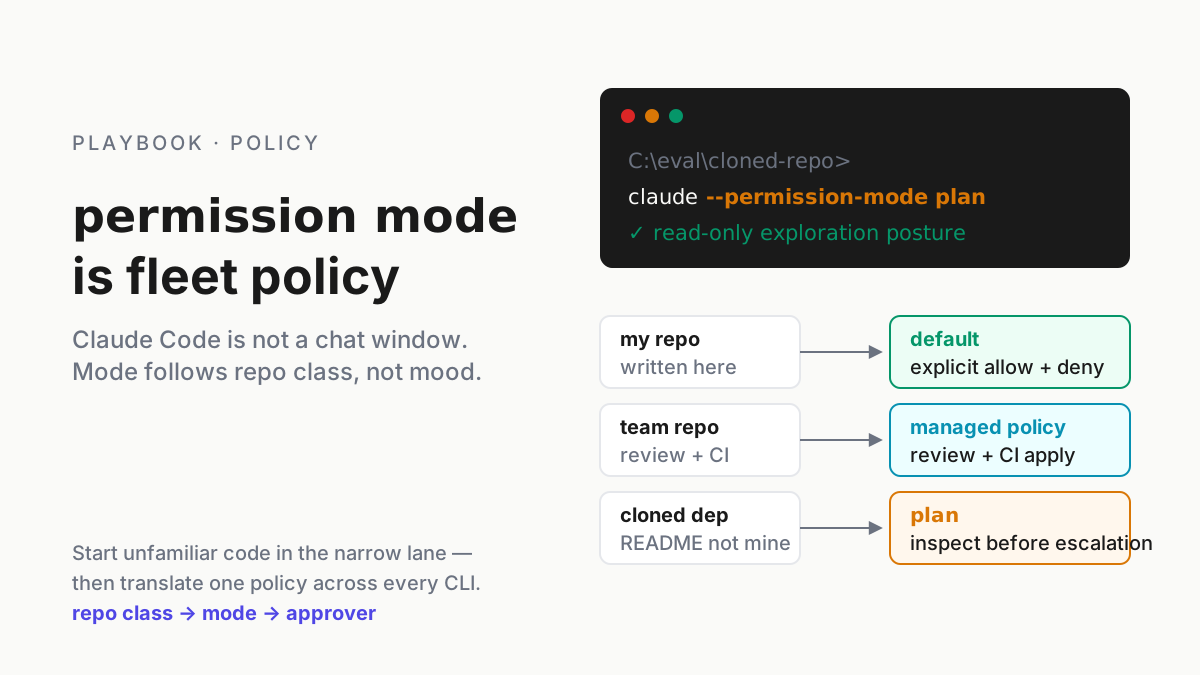
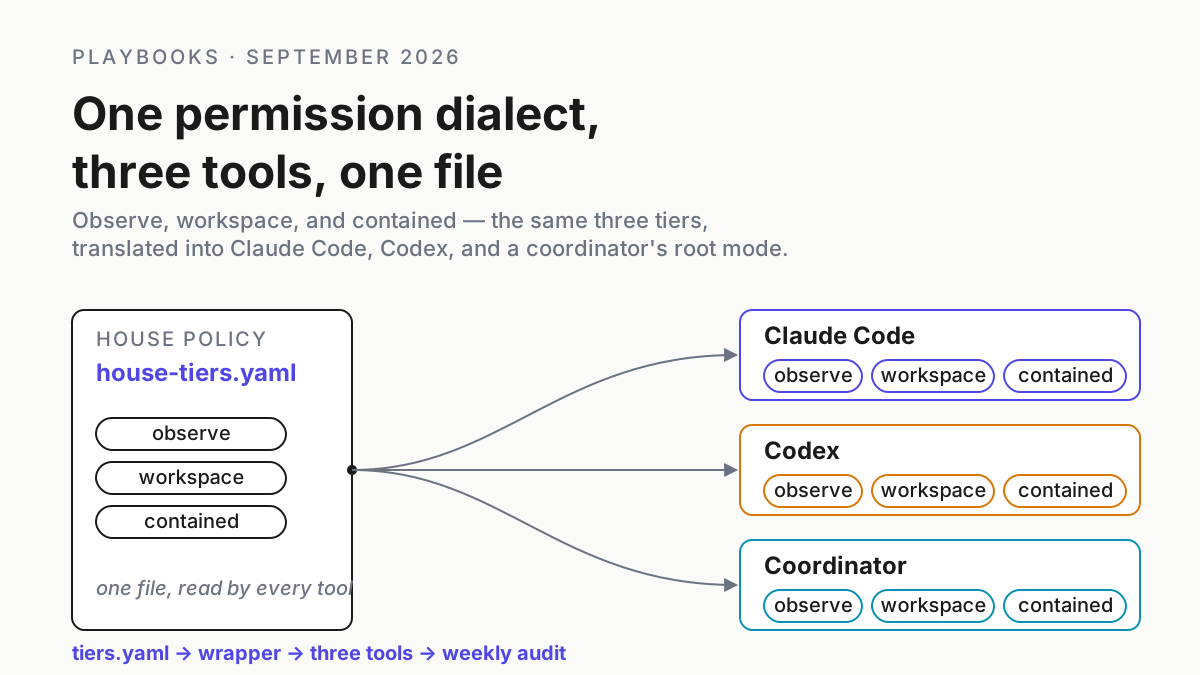
Precedence inside Claude Code, and one house dialect across Claude Code and Codex, are already covered in Claude Code permission modes as fleet policy and one permission dialect for Claude Code and Codex. This piece assumes that policy exists. It tests whether each harness keeps it.
The cross-harness override test, step by step
Step 1: Write one deny and one ask you can trigger without harm
Pick three canary operations, one for each class GitHub’s policy covers: a shell command, a file edit, a network domain. Each must be harmless if the wall fails and unmistakable in a log. A shell read of a fake credentials file in a scratch repo, an edit to a file called ask-me.txt, and a fetch to a domain you own and never use all qualify.
Make the shell and network canaries managed denies and the edit a managed ask. Write each rule in that harness’s own managed-settings syntax, from its own docs. Rule selectors differ between vendors, and a rule copied across can parse cleanly and match nothing; that’s the renamed-tool failure in miniature, and contract-testing guard coverage owns it.
Then write the test down as a manifest your runner reads. The shape below is illustrative, your schema rather than any vendor’s:
# override-test.yaml (illustrative; your runner's schema, not a vendor format)
policy_version: perm-v3
canaries:
  shell_deny:   read fixtures/fake-credentials.txt from the shell
  network_deny: fetch https://canary.example.com/ping
  edit_ask:     edit scratch/ask-me.txt
lanes:
  - id: ci-copilot-cli
    harness: copilot-cli
    receipt: unmatched-op-prompts
  - id: laptop-claude-02
    harness: claude-code
    receipt: [skipped-sources-empty, managed-settings-resolved-event]
  - id: ci-codex-01
    harness: codex
    receipt: fallback-notice     # requirements.toml conflict notice
  - id: seat-jetbrains-07
    harness: jetbrains-copilot
    receipt: policy-diagnostics
    scope: sandbox-only
  - id: control-01
    harness: claude-code
    managed_policy: none         # every canary must succeed here
rows: [user_settings, workspace_settings, auto_approval, saved_approval,
       bypass_mode, hook_allow, second_managed_source,
       resumed_session, child_agent, headless_run]
record: [harness, version, row, canary, expected, observed, receipt, action]
The control lane matters more than it looks. Run every canary on a machine with no managed policy first. If a canary doesn’t fire there, a blocked result elsewhere proves nothing.
Version the policy and stamp that version on every row. When a row flips next month, the first question is whether the policy changed or the harness did.
Step 2: Prove each lane received the policy before you attack it
A bypass that works on a lane that never got the policy is a delivery bug, and it looks exactly like a real override. Get a receipt per lane before you run a single bypass row.
| Harness | Receipt | What it proves | What it doesn’t |
|---|---|---|---|
| Copilot (CLI, app, VS Code Agent Host) | None named in the GA post; trigger an operation your rules don’t mention and expect an approval prompt | The managed policy is loaded on this surface | Which source each rule came from |
| JetBrains (preview) | Enterprise policy diagnostics; controls locked in the IDE | Sandbox policies are detected and enforced on the device | Anything about deny, ask or allow, which the docs table marks Not supported there |
| Claude Code | /status Setting sources and Skipped sources (v2.1.242+); claude doctor; the managed_settings_resolved event (2.1.274+) |
Which managed source won and which were dropped | That a deny fired; the event reports sources, not enforcement |
| Codex | Admin-enforced requirements.toml (system file, cloud config bundle or macOS MDM); set a disallowed value locally and expect the fallback notice |
The requirements reached this client | Which layer delivered them, or that a command rule fired |
Codex’s managed configuration docs call requirements “admin-enforced constraints that users can’t override”: a local value that conflicts with one falls back to a compatible value and the client notifies the user. Layers don’t simply merge, though. Higher-precedence layers override scalar and list values, while rules and hooks compose field by field, so run the second-source row on Codex too instead of borrowing either vendor’s answer.
The Copilot receipt is derived from GitHub’s own default. When any managed source defines a permission rule, an unmatched supported operation should require approval. If an edit your rules never mention goes through without a prompt, that lane isn’t running your policy, and every bypass row on it will lie.
On Claude Code, read /status before anything else. If Skipped sources isn’t empty, stop: that’s the first-wins shadowing from the section above, and every row on that machine would measure a policy you didn’t intend. claude doctor lists what it dropped. Then collect the managed_settings_resolved event with OTEL_LOG_MANAGED_SETTINGS=1, and keep the digest it logs beside your policy version. A lane whose digest differs from your reference machine’s didn’t get the policy you think it got.
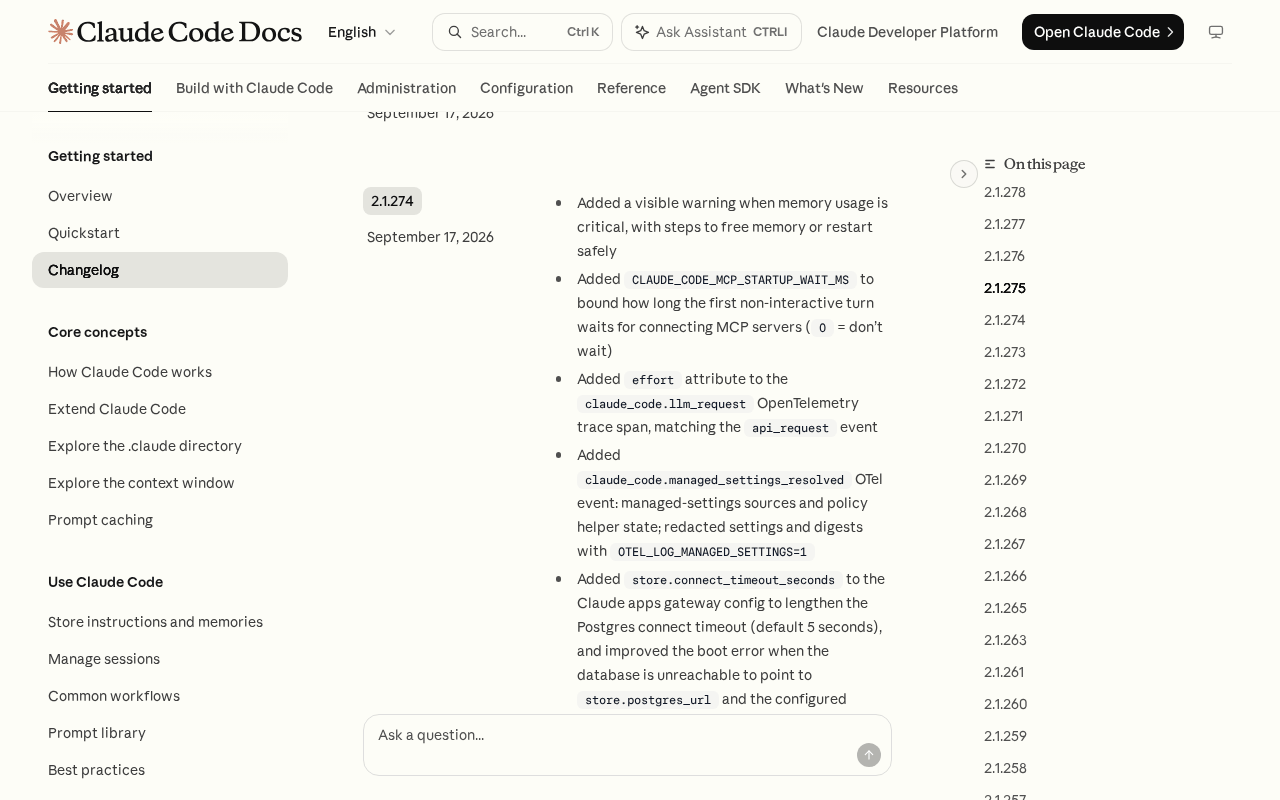 Screenshot: Claude Code Docs, “Claude Code changelog - Claude Code Docs” (2.1.274, Sep 17, 2026), captured Sep 21, 2026.
The event lives in the changelog and not yet in the monitoring docs, so pin its field names from an event you captured, not from memory.
Step 3: Mark the surfaces that can’t enforce the rule before you test them
Some cells are n/a before you start, and a test that reports them as passes is worse than no test.
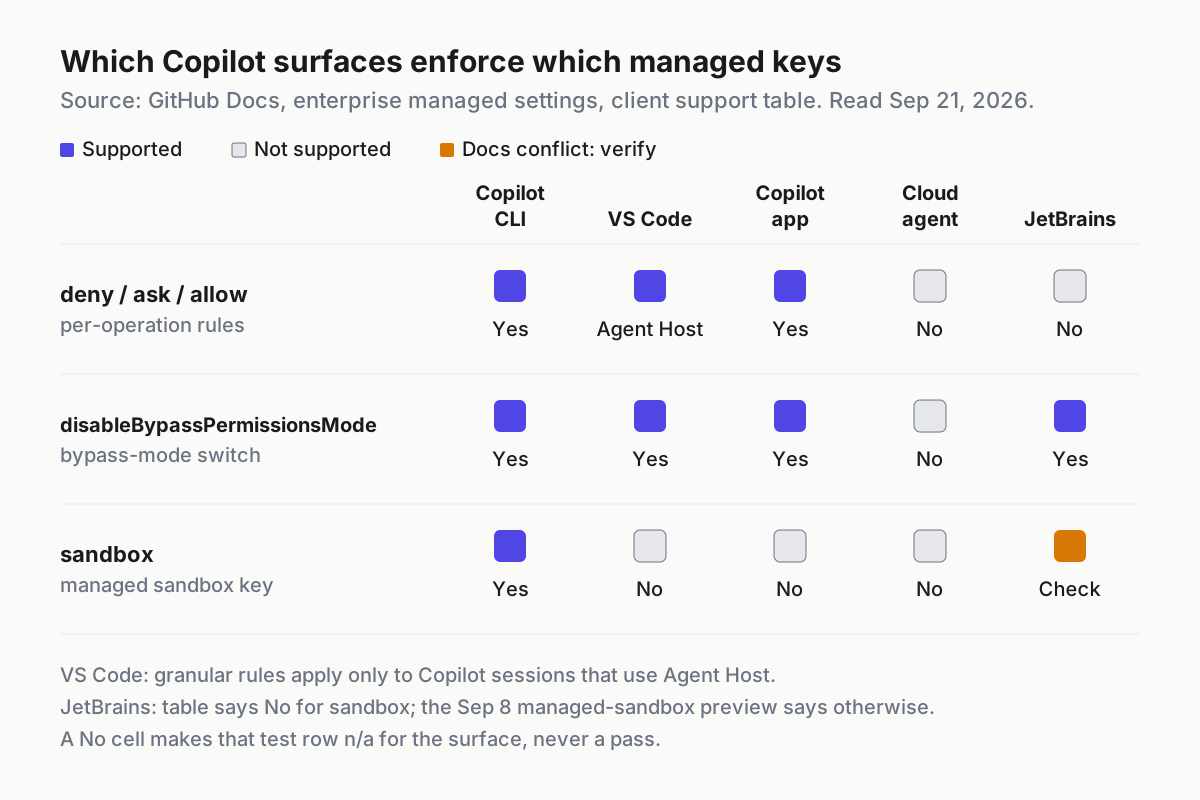 Which managed keys each Copilot surface honours, per GitHub’s docs table on Sep 21. The amber cell is a docs conflict to verify before you rely on it.
Copilot cloud agent takes no managed deny, ask or allow, and no disableBypassPermissionsMode either. JetBrains IDEs take no managed deny, ask or allow; their managed control is the sandbox preview, and even that is unsettled, because GitHub’s table marks the sandbox key Not supported for JetBrains while the Sep 8 changelog describes a managed setting that turns the sandbox on or off. VS Code honours the granular rules only in Agent Host sessions, though disableBypassPermissionsMode has broader VS Code support.
Write those cells as n/a, never pass. A lane on an n/a surface isn’t covered by the managed rule at all. It either moves to a surface that enforces the rule, or it gets a wall that doesn’t depend on the harness (step 6).
Step 4: Run the six bypass rows GitHub names
Now attack. For each row, set up the bypass, fire all three canaries, and write down what happened. The expected column is what each vendor’s docs predict; where the docs are silent, it is your policy intent, marked Intent.
| Row | How to attempt it | Copilot (CLI, app, VS Code Agent Host) | Claude Code | Codex | JetBrains |
|---|---|---|---|---|---|
| User settings | Allow the canaries in the user’s own settings | Deny holds | Deny holds; lower levels can only tighten | Intent: deny holds | n/a |
| Workspace settings | Allow them in a committed project config (.claude/settings.json on Claude Code) |
Deny holds | Deny holds | Intent: deny holds | n/a |
| Auto-approval | Turn on every auto-approve option the surface offers | Deny holds; ask still prompts | Intent: deny holds in every mode you permit | Intent: deny holds | n/a |
| Saved approval | Approve the canary persistently before the policy lands; retry after | Deny holds; ask prompts again | Intent: deny holds; watch for user_permanent |
Intent: deny holds | n/a |
| Bypass (YOLO) mode | Launch in the surface’s allow-all mode | Ask still prompts; intent: deny holds | Intent: deny holds | Intent: deny holds | n/a for deny and ask |
| Hook returns allow | A pre-tool hook that approves the canary | Ask still prompts; intent: deny holds | Deny still blocks; ask still prompts | Intent: deny holds | n/a |
Two cells need their sources. Claude Code’s settings reference puts managed settings above every other level, and its exceptions table lists only cases where a stricter value from a lower level still counts, so no lower level can weaken a managed rule. And Claude Code’s permissions docs say hook decisions don’t bypass permission rules: a matching deny still blocks and a matching ask still prompts, whatever the hook returned.
Create the saved approvals before the policy lands. That’s how they usually exist: somebody chose a remember-this option weeks ago, and the approval outlived the reason for it.
On Claude Code, the OpenTelemetry tool_decision event shows the outcome of each attempt. Per the monitoring docs, decision is accept or reject, and source is one of config, hook, user_permanent, user_temporary, user_abort or user_reject. A canary logged as accept with user_permanent is a saved approval beating your policy. A reject with config means something held, not what: config covers settings, managed policy, flags and the active permission mode, and “The event doesn’t indicate which of these sources matched.” Reading vendor permission verdicts covers that stream in depth; here you only need accept versus reject per canary.
Step 5: Add the four rows nobody named
These rows are ours, not GitHub’s. They target the places where policy tends to be read once and then assumed.
| Row | How to attempt it | Copilot | Claude Code | Codex | JetBrains |
|---|---|---|---|---|---|
| Second managed source | Ship a second managed policy that allows the canary | Deny holds: any source’s deny wins, allowlists intersect | First-wins: a lower-ranked source is dropped silently; read Skipped sources | Intent: deny holds | n/a (sandbox: docs don’t say) |
| Resumed session | Start before the policy lands, resume after | Intent: deny holds | Intent: deny holds (--resume, --continue) |
Intent: deny holds | n/a |
| Child agent | The session spawns a subagent that fires the canary | Intent: deny holds | Intent: deny holds | Intent: deny holds | n/a |
| Headless run | Non-interactive run, nobody there to answer | Intent: deny holds; ask blocks | Intent: deny holds; ask blocks (claude -p) |
Intent: deny holds; ask blocks (codex exec) |
n/a |
The second-source row is where the harnesses diverge by design. Put the allowing policy in the higher-ranked source, expect Claude Code to fail the row on the default, and log that as a finding. The fix is to keep every managed key in one source, or opt into merge and re-run the row. Project-over-group overrides are the same shape one layer down, at the MCP server, and the GitLab always-ask audit covers that one.
The resumed-session row catches state carried from before the change: start the session under the old policy, ship the new one, resume, fire. The child-agent row catches policy that binds the parent process but not what it spawns.
In the headless row, the ask canary is the interesting one. With nobody at the keyboard, a managed ask should stop the run, not resolve itself. If a headless lane edits ask-me.txt, an ask turned into an allow somewhere between the policy and the process. Unattended lanes pick up undeclared state in other ways too; proving headless runs ignore undeclared state is the companion test.
Step 6: Record expected against observed per harness and version, then fix or flag
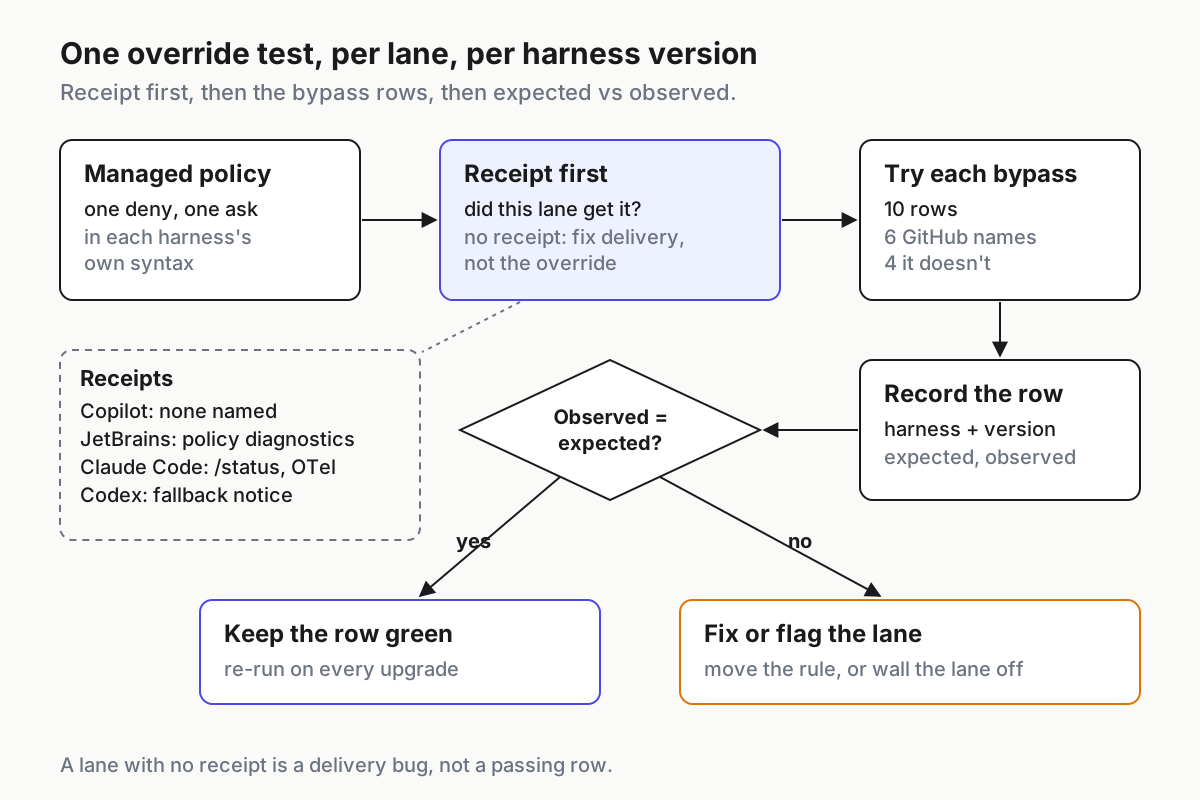 Receipt first, then the rows. A lane with no receipt is a delivery bug, not a passing row.
Every attempt becomes one log line. The line below is illustrative, including its result:
{"run":"2026-09-22T14:05:00Z","policy":"perm-v3","lane":"laptop-claude-02","harness":"claude-code","version":"2.1.278","row":"second_managed_source","canary":"shell_deny","expected":"dropped_first_wins","intent":"deny_holds","observed":"ran","receipt":"skipped_sources=1","action":"fix: move deny into the winning source; re-run"}Keep expected and intent as separate fields. Expected versus observed tells you whether the vendor behaved as documented; a mismatch there is a bug report and a version pin. Intent versus observed tells you whether you’re protected; a mismatch there is your problem regardless of what the docs say.
Every row where observed misses intent gets exactly one of two outcomes:
- Fix. Move the rule into the source that wins, turn on merge, set
disableBypassPermissionsMode, or move the lane to a surface that enforces deny and ask. Re-run the row and attach the green result to the change. - Flag. When the harness can’t enforce the rule on that surface or version, write it down with an owner and a review date, keep the lane off work the rule protects, and put a wall underneath that doesn’t depend on the harness: an OS sandbox, egress filtering at the network, credentials the lane never holds.
Then re-run the full matrix on every harness upgrade. Version is a column because a green row on one build says nothing about the next, and the CLI upgrade canary is where this test belongs in your change process.
Five ways the override test hands you a false green
The receipt that isn’t enforcement. /status and the OTel event say which source won; neither says a deny fired. Signal: receipt present, canary ran. Score it as a failed row.
Silent shadowing. Claude Code’s first-wins default drops a lower source without a warning. Signal: Skipped sources is non-empty on any lane. Fix delivery before you test anything else there.
An n/a scored as a pass. A green deny row on Copilot cloud agent, on a JetBrains seat, or in a VS Code session that isn’t on Agent Host means the canary failed for some other reason, because nothing there reads the rule. Signal: the same canary also fails on the control lane.
A canary that can’t fire. A missing fixture, a sandboxed network, a typo in the path: the block you logged came from the environment. Signal: the control lane can’t run it either. Fix the canary before trusting a single row.
The gate that isn’t the only door. Managed permissions are the harness enforcing policy on itself, and when that gate fails it fails quietly: a skipped source or an unsupported surface doesn’t error, it runs the canary. A user who can install an unmanaged binary, add a second agent, or run the command in their own shell is outside the harness entirely. Signal: canary operations in shell history or network logs with no agent session attached. That’s why flagged lanes get a wall, and why the destructive and network classes keep one even when every row is green.
Policy is a fleet property; proof is per lane
A managed deny is written once and enforced several times over, by harnesses that each decide how to read it. The only artifact that tells you whether it held is the table from step 6: per lane, per harness, per version, with a receipt behind every row. No vendor console produces that table, because no vendor console sees the other vendors’ lanes. Keeping it is the operating layer’s job, the same argument a multi-agent command center makes for inventory and kill switches, applied to policy.
GitHub handed you six bypass rows. Add four, run all ten on everything you operate, and write down what you saw.
FAQ
Can developers override Copilot enterprise managed permissions?
Not through the paths GitHub names. Its Sep 9 changelog says managed restrictions can’t be weakened by user or workspace settings, auto-approval or saved approvals, and the docs add bypass mode and hooks for a managed ask. The rules apply in Copilot CLI, the Copilot app and VS Code Agent Host sessions.
Why is my Claude Code managed deny missing on one machine?
Most likely first-wins. Claude Code’s managed tier uses the highest-ranked source that delivers at least one policy key and ignores the rest, without a warning. Run /status and read Skipped sources, or run claude doctor. Keep every managed key in one source, or opt into merge mode from v2.1.242.
Do Copilot managed permissions work in cloud agent and JetBrains?
Not the deny, ask and allow rules. GitHub’s managed-settings support table marks them Not supported in Copilot cloud agent and JetBrains IDEs. JetBrains has a separate managed sandbox in public preview since Sep 8, with policy diagnostics. Mark those test rows n/a and protect the lanes another way.
Sources
- GitHub Changelog: Enterprise managed permissions for GitHub Copilot agent operations — Sep 9, 2026; GA for Business and Enterprise, the named bypass paths
- GitHub Docs: Enterprise managed settings — deny > ask > allow, the managed-ask bypass list, intersected allowlists, the client support table
- GitHub Changelog: Enterprise-managed sandbox in Copilot for JetBrains — Sep 8, 2026; public preview, enterprise policy diagnostics
- Claude Code changelog — 2.1.274 (Sep 17, 2026), the
managed_settings_resolvedevent - Claude Code docs: Managed settings — first-wins default, opt-in merge, /status Skipped sources, claude doctor
- Claude Code docs: Settings — managed tier above every other level; stricter-only exceptions
- Claude Code docs: Configure permissions — hook decisions don’t bypass deny or ask rules
- Claude Code docs: Monitoring usage —
tool_decisiondecision and source fields - Codex docs: Managed configuration — admin-enforced requirements, fallback notice, layer precedence