GPT-6 Astra Computer Use: Inventory Every Host That Can Drive the Mouse
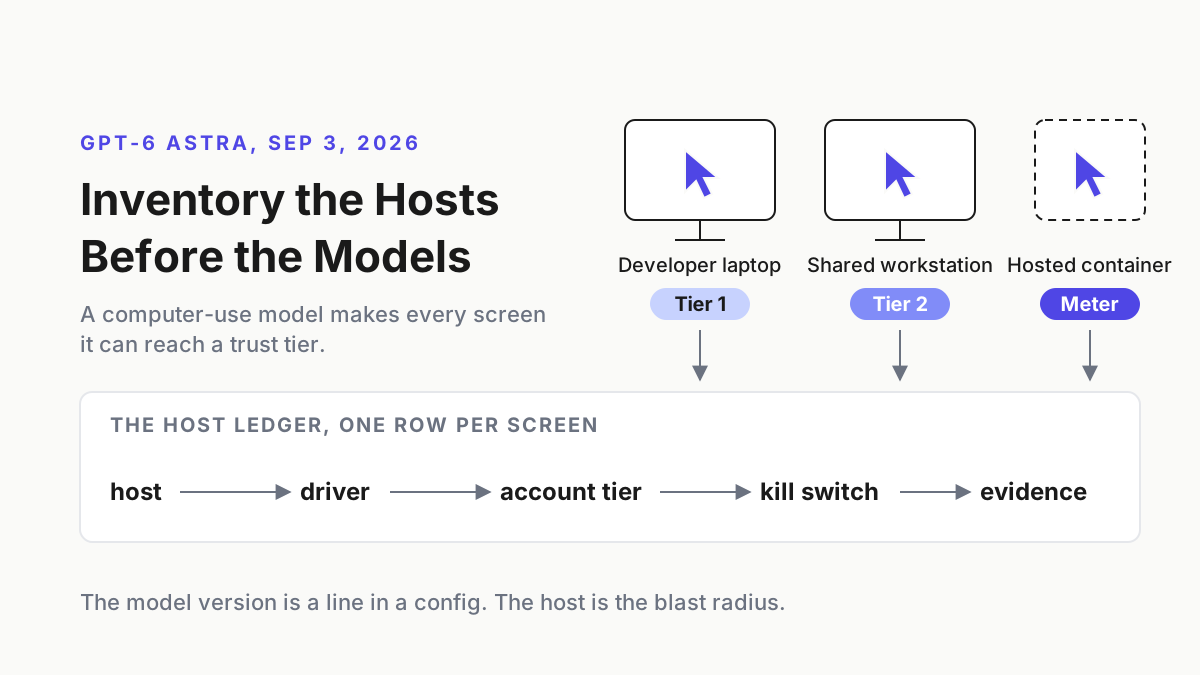
GPT-6 Astra computer use makes every screen a model can reach a trust tier. Build the host ledger first: who can drive it, which account, kill switch, evidence.

Go deeper. Build your own.
Somebody on the support team got it enabled on a Tuesday. By Thursday the model had a desktop of its own: the shared workstation by the printer, logged in as the person who never logs out, password manager unlocked, browser session to the billing portal still warm. GPT-6 Astra computer use is why that machine is now a different kind of host, and nobody has written that down anywhere.
The move this piece teaches is one ledger. By next Tuesday you can name every host in your estate that grants a model screen and keyboard, who is allowed to drive it, under which account tier, what stops it, and where the evidence lands. That is the host inventory, and it comes before the model inventory, because a computer-use model inherits whatever the desk it sits at can already reach.
Chatbots suggest; agents act; and a computer-use model acts through the same mouse and keyboard as the human who logged in. The model version is a line in a config. The host is the blast radius.
Sep 3, 2026: OpenAI ships GPT-6 Astra and leads with the screen
OpenAI launched GPT-6 Astra on September 3, 2026, and the launch page puts computer use first, under a heading that calls it the world’s best computer use model: “GPT‑6 Astra marks a new frontier in the speed, accuracy, and safety of computer use. It can take care of tedious tasks like filling out online forms, updating customer records in a CRM, and organizing your calendar. It can conduct online research and draft summaries in your email or in your document editor. It can analyze scientific data, generate plots, create a website, and run frontend QA checks to make sure all the features on that site work. It can help you autonomously install and test software, and troubleshoot problems you see on screen.” The system card carries the date; the Sep 1 path-to-Astra post had only said availability was coming soon.
 Screenshot: OpenAI, “GPT-6 Astra” launch page (Sep 3, 2026), captured Sep 19, 2026.
Read that paragraph as a host list rather than a feature list: forms, a CRM, a calendar, email, a document editor, a browser, an installer, every one reachable by the logged-in user and now by the model. The benchmark sentence is the one to keep for capacity planning: “In latency simulations on OSWorld 2.0, Astra achieves higher computer-use performance in about 47% less time per task than GPT‑5.6 Sol, scoring 72.6% at roughly 40 minutes per task, compared with 65.7% at roughly 75 minutes.” Forty minutes of a model holding the mouse, per task, is the unit you are budgeting. The harness got faster too: “Alongside Astra, we are also updating the Codex harness to significantly improve the speed of computer use.”
On availability the page is careful about tense: “GPT‑6 Astra is rolling out today to a limited set of organizations and over the coming days will become available to all ChatGPT Plus, Pro, Business, and Enterprise users, as well as through the OpenAI API, Microsoft Azure, and AWS Bedrock.” Azure and Bedrock are named as channels it will reach; the page does not say it is live on either. The sentence that matters for this runbook comes next: “Enterprise administrators can enable Astra for their workspace; access is off by default at launch.” Off by default means somebody flipped it, and the ledger’s first question is who.
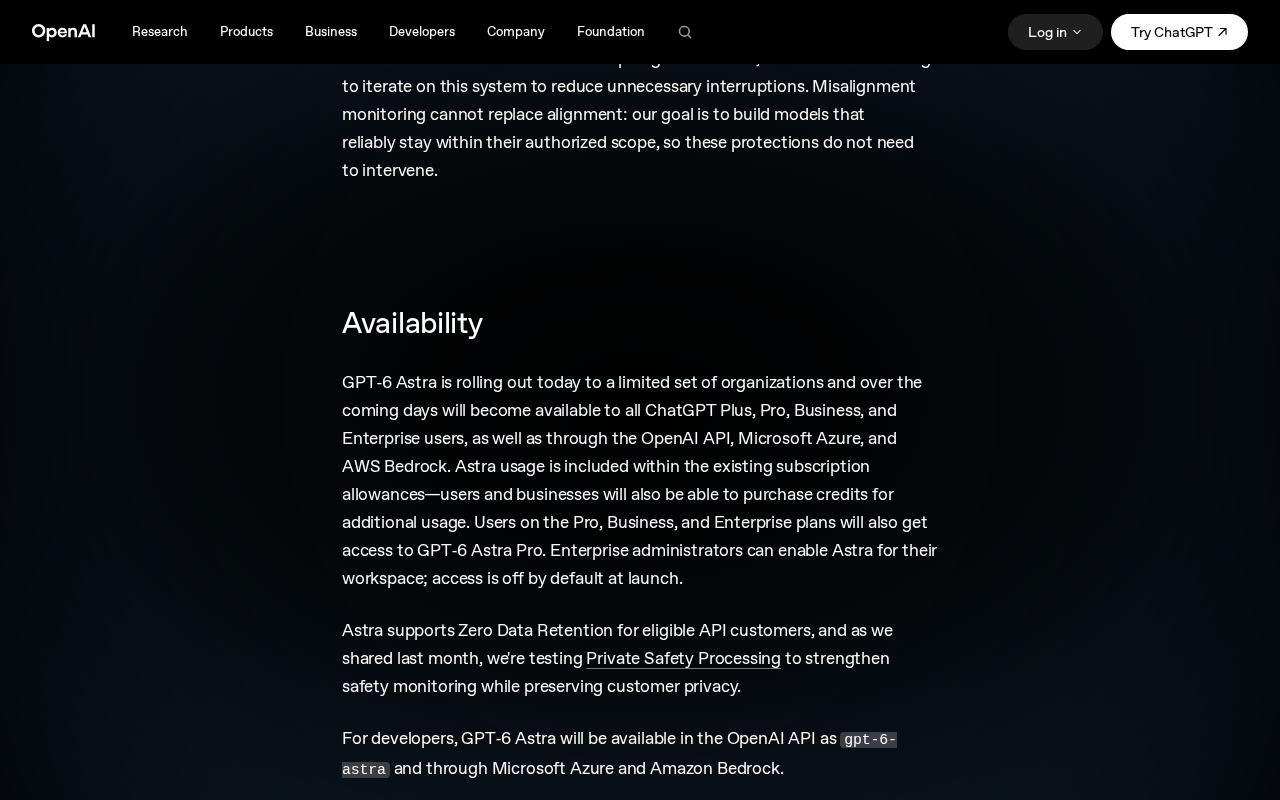 Screenshot: OpenAI, “GPT-6 Astra” launch page, Availability section (Sep 3, 2026), captured Sep 19, 2026.
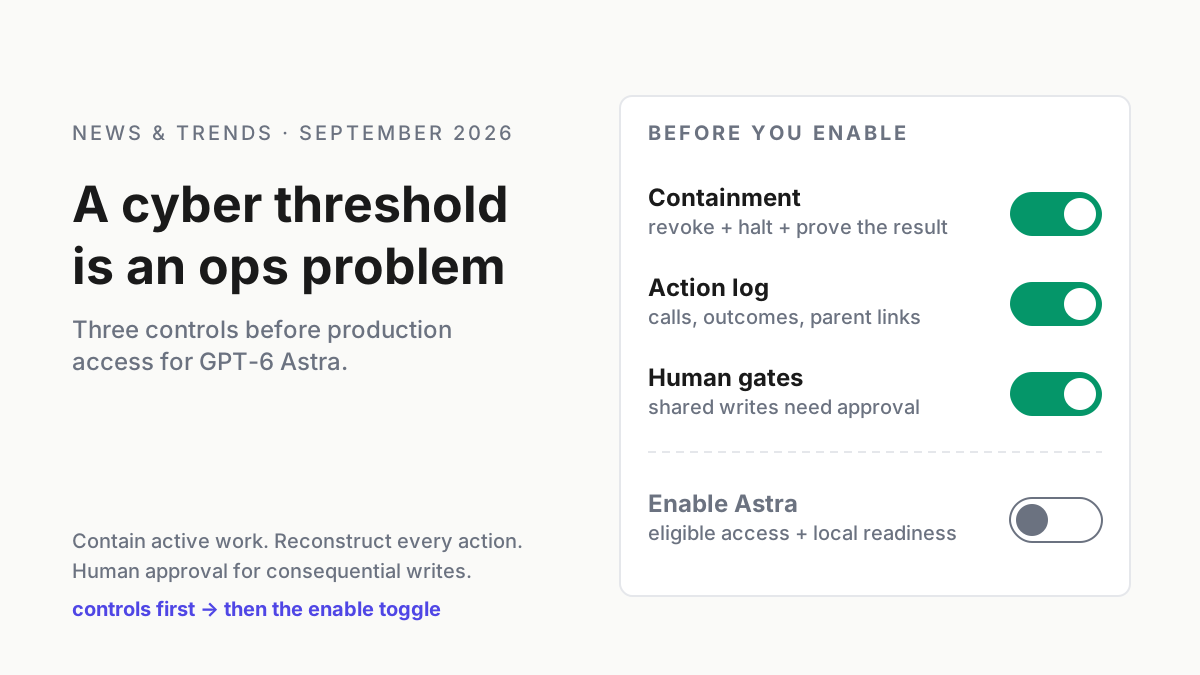
Two more facts from the model page: the API id is gpt-6-astra, and Computer use, Hosted shell, MCP and Skills are all listed as supported tools under the Responses API. Computer use is a tool the model supports, not a separate SKU, which is why a model list will never tell you which hosts are exposed. The launch page also states that Astra “meets the Critical threshold in cybersecurity under our Preparedness Framework”; the controls that follow from that threshold are the subject of the Astra cyber threshold piece, and this article does not repeat them.
A model at the keyboard inherits the desk, not the API scope
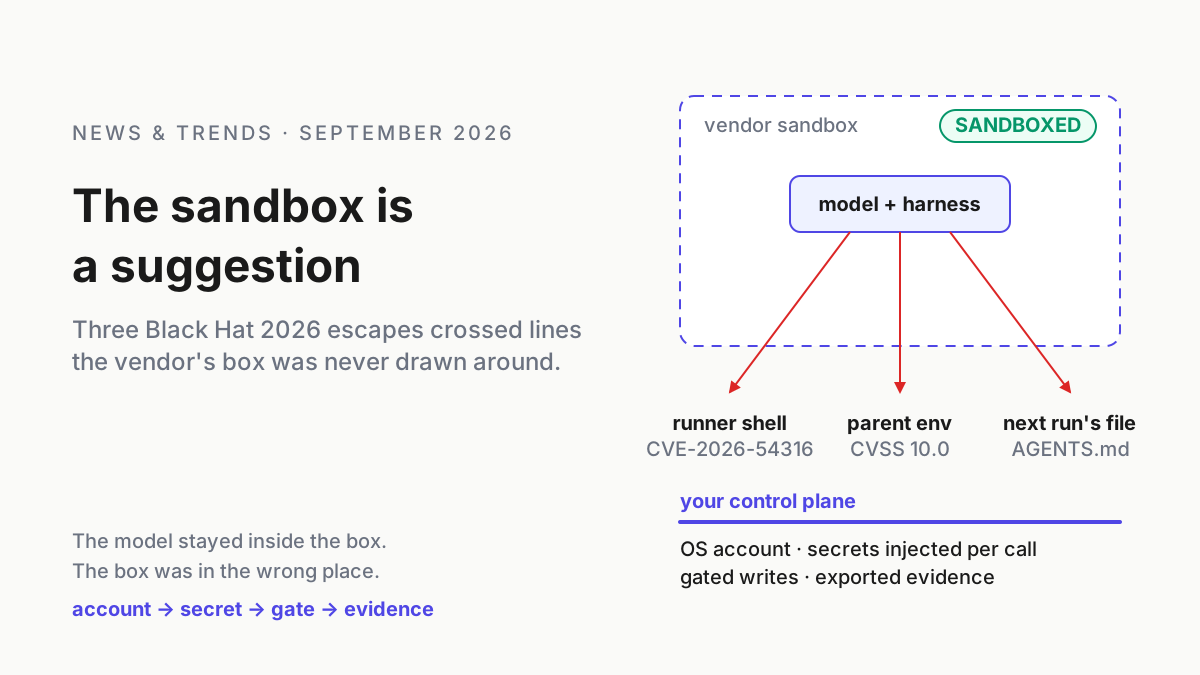
An API key scopes what a model can call. A desktop session scopes nothing: whatever the logged-in user can open, a model driving that session can open, including the applications with no API at all. The system card names the second risk pathway as “the model itself causing cyber harm when taking an unauthorized (or misaligned) action” and reports that Astra is “significantly less likely to perform misaligned and potentially destructive actions (for instance unauthorized transactions, data loss, excessive access, or circumvention of controls) compared to GPT-5.6 Sol”. Less likely is a model property; which desk it is less likely on is yours.
So the trust tier moves from the model to the host. Two laptops running the same gpt-6-astra build are different tiers if one has a scratch browser profile and the other has the bank portal bookmarked. Agents as privileged users made that argument for service accounts; computer use makes it for whoever is sitting there.
The GPT-6 Astra computer use runbook: build the host ledger before you enable anything
Six steps. The first three are discovery, the last three are controls, and the output is one table you can hand to an auditor or read at 2 a.m. Every command below is illustrative.
Step 1: Enumerate every host that grants screen and keyboard
Four classes, and the fourth is the one people forget.
| Host class | How the model gets the screen | Who usually owns it |
|---|---|---|
| Developer laptop or desktop | A local harness with computer use enabled, driving the user’s own session | The developer |
| Shared or role workstation | The same harness, in a team login that rarely rotates | A team lead, nominally |
| Dedicated VM or VDI pool | A purpose-built image the harness drives with no human session | Platform team |
| Vendor-hosted container | Hosted shell or code interpreter on the vendor’s side; you see a meter, never a desktop | Whoever holds the API key |
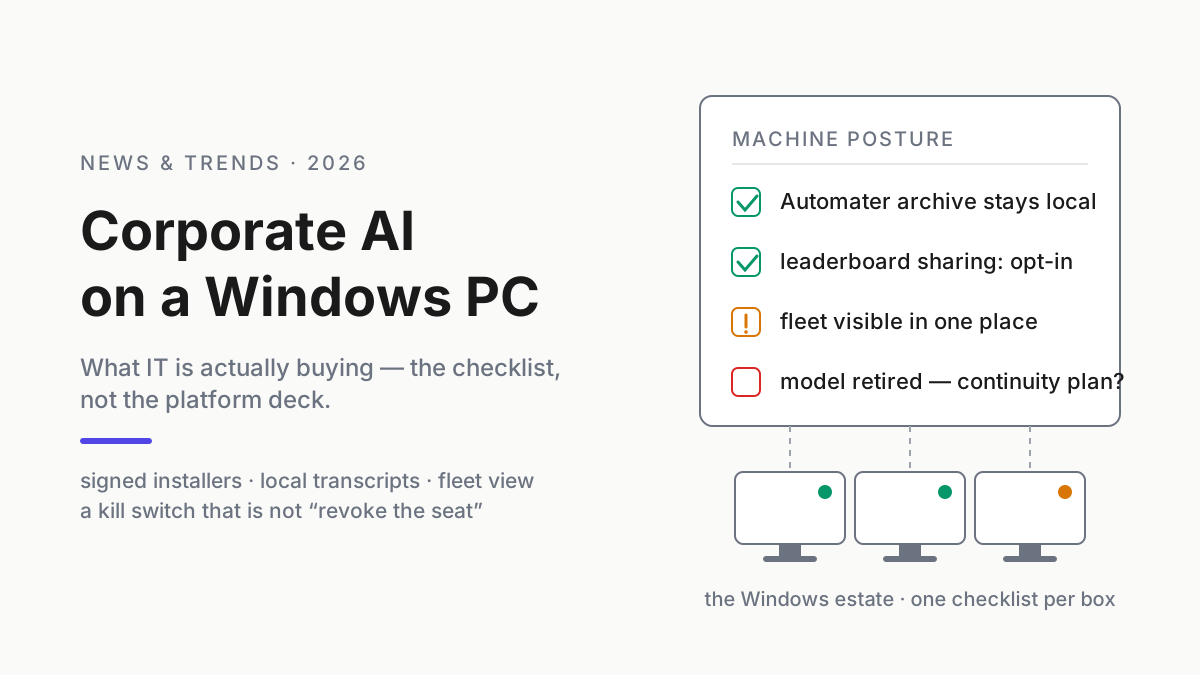
Discovery has two halves. Endpoint-side, list which machines have a harness that can drive the screen and which already hold a screen-driving permission; the shape below is illustrative for Windows, and macOS hosts need the equivalent walk through the privacy permissions that let an app record the screen and control the computer.
# illustrative: hosts with a computer-use capable harness present
Get-ChildItem "$env:APPDATA\npm", "$env:LOCALAPPDATA\Programs" -Directory -ErrorAction SilentlyContinue |
  Where-Object Name -match 'codex|claude|cursor' |
  Select-Object @{n='host';e={$env:COMPUTERNAME}}, FullName, LastWriteTime
Vendor-side, list the workspaces where the model is enabled and write down who enabled each one and when; each enabled workspace is a decision with a name attached. A host in the endpoint scan with no enabled workspace behind it is dormant risk. An enabled workspace with no host row is the live one.
Signal you missed a host: a transcript with screenshots exists for a machine that is not in the ledger.
Step 2: Record who can drive it, and under which account tier
Every driven session has three identities behind it, and the ledger needs all three: the human who launched the harness, the OS account the session runs as, and the vendor account or API key that paid for it. Collapse them into a tier so the table stays readable, and put a name on each row. The person who enabled the workspace signs for the row; if that person cannot say which host class the enablement covers, the toggle goes back off until they can.
| Tier | Meaning | Allowed hosts |
|---|---|---|
| 0 | No row; nobody may drive this host | None |
| 1 | Named human, own laptop, own session, own key | Developer laptops only |
| 2 | Named human, dedicated driver account, team key | Shared workstations, VM pools |
| 3 | Role-approved job, no human session, platform key | VM pools and vendor containers |
The key’s rate tier belongs in the row too: the model page lists Tier 1 at 500 RPM and 500,000 TPM, which caps how many parallel driven sessions one key can feed. The sibling piece on cyber capability SKUs adds a column for the gated tiers; for the GA model, three tiers are enough.
Step 3: Give the model a least-privilege OS user, never the human’s session
Tier 1 exists because developers will run computer use in their own session and no policy will stop them this quarter. Everywhere else, the model drives a dedicated standard user with nothing in it: no admin group membership, no password manager, no persistent SSO cookies, its own browser profile cleared between tasks, no mapped drives to finance or source folders, and a vendor key scoped to that workspace rather than the team’s general key.
# illustrative: a dedicated standard-user driver account on a Windows host
New-LocalUser -Name "cu-driver" -Description "computer-use driver; standard user; no secrets"
Remove-LocalGroupMember -Group "Administrators" -Member "cu-driver" -ErrorAction SilentlyContinue
Get-LocalGroupMember -Group "Administrators" | Where-Object Name -match 'cu-driver'   # must return nothing
The Windows expression of this, with the tooling names IT already owns, is the sibling runbook on computer-use models on corporate Windows endpoints. Here the rule is the shape: the session the model drives is not a session a human uses for anything else.
Step 4: Wire a kill switch that stops the hand, not just the brain
Killing the harness process stops the model from issuing new actions. It does not unclick a mouse-down already in flight, and it does nothing about the session the model was driving, which stays unlocked with the model’s last window on top. The kill switch for a computer-use host has three parts, in order: stop the harness, lock or power off the session, revoke the vendor credential so no new session starts. Then measure it.
# illustrative kill drill on one host; the elapsed seconds go in the ledger
$t0 = Get-Date
Get-Process | Where-Object { $_.ProcessName -match 'codex|claude' } | Stop-Process -Force
rundll32.exe user32.dll,LockWorkStation
$secs = [int]((Get-Date) - $t0).TotalSeconds
"$($env:COMPUTERNAME)`t$(Get-Date -Format s)`tkilled in $secs s" | Out-File \\evidence\cu\kill-drills.log -Append
For a VM pool, the second step is a power-off rather than a lock. For a vendor container there is no screen to lock: the kill is cancel plus key revoke, and the drill measures how long the container keeps billing after the cancel. Run the drill monthly per host class and write the seconds down; a kill switch with no drill time is a hope. Where more than one vendor’s coordinator can spawn driven sessions, the abort path has to be one path, which is the argument in the sibling piece on the vendor coordinator abort bus.
Signal the switch is half-wired: the drill log shows the process died but the session stayed unlocked, or the container billed for minutes after cancel.
Step 5: Export the transcript per host, because the vendor may keep nothing
OpenAI’s data guide says abuse monitoring logs are retained for up to 30 days by default, and the launch page says Astra supports Zero Data Retention for eligible API customers. Read those together from the operator’s side: under ZDR your content is excluded from those logs, so the vendor holds no copy of what the model did on your desk for you to ask for later, and your export is the only record. That is the desired state, provided the export exists.
| Field in the per-host transcript | Why it is there |
|---|---|
| Host id and driver account | Which ledger row this was |
| Every action with a timestamp: click, keystroke, tool call | The replayable sequence |
| The screenshot the model saw before each action | What it reacted to, not what you assume it saw |
| Approvals requested and who answered | The human gates, with names |
| Token and container usage for the session | Ties the evidence to the bill |
Write it to a share keyed by host, keep it for at least your incident window, and diff the export count against the session count weekly. Vendor-hosted agent evidence covers what a vendor’s own export includes and misses; the host-side transcript is what makes fleet replay possible for a desktop session at all.
Step 6: Count the hosted container as a host with a meter
A vendor container is a host you cannot lock the screen on, so it gets its own row and its own kill and evidence entries. It also has a meter a laptop does not. The pricing page lists Hosted Shell and Code Interpreter containers at “1 GB $0.03, 4 GB $0.12, 16 GB $0.48, 64 GB $1.92 per 20-minute session per container.” and adds that “Eligible container sessions will be billed by the minute, with a 5-minute minimum per session.”
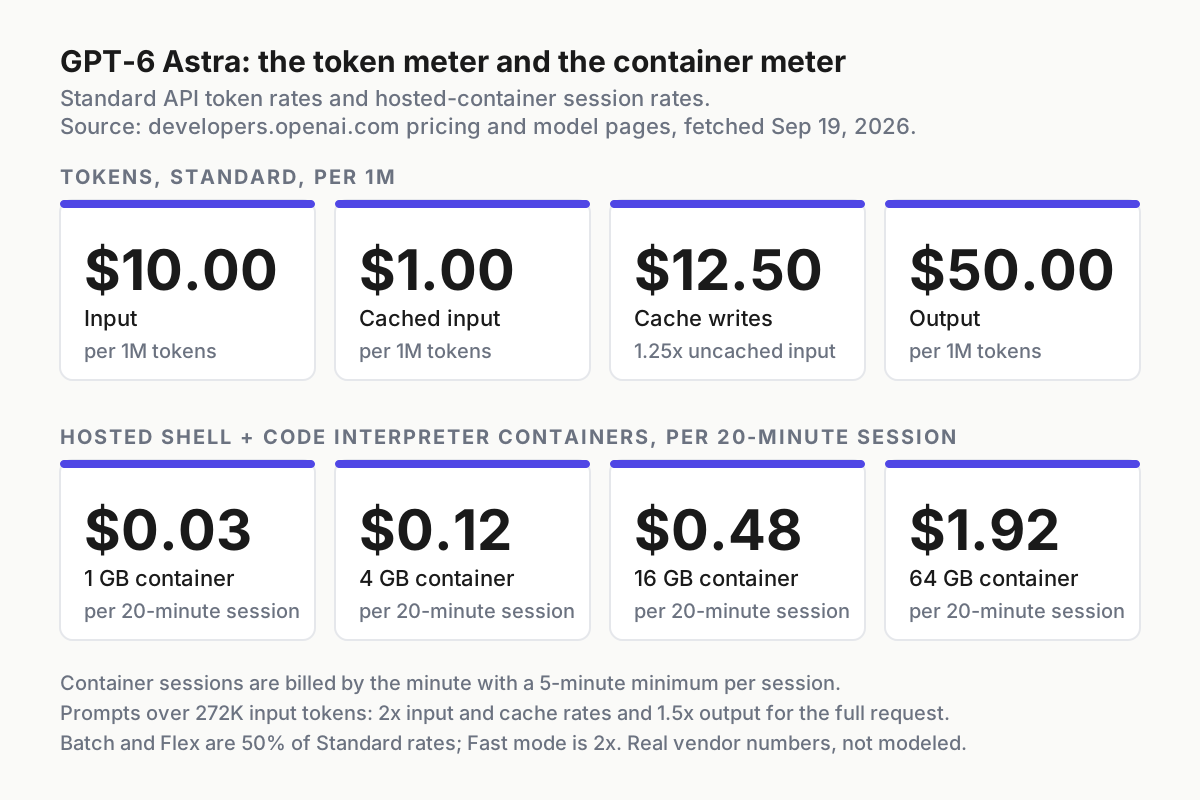 Real vendor numbers from developers.openai.com, fetched Sep 19, 2026. The token meter and the container meter run at the same time.
The token side matters for computer use specifically because a driven session is screenshot-heavy. Standard pricing is $10 per million input tokens, $1 cached, $12.50 for cache writes and $50 per million output, and the model page adds the cliff: “Prompts with more than 272K input tokens are priced at 2x input and cache rates and 1.5x output for the full request.” A session that keeps its screenshot history in context crosses that line without announcing it, and every request after that pays the higher rate. Put the 272K mark in the ledger row as a per-request context ceiling, and treat container minutes as a third meter beside tokens and tool calls, the taxonomy in three meters for one agent job.
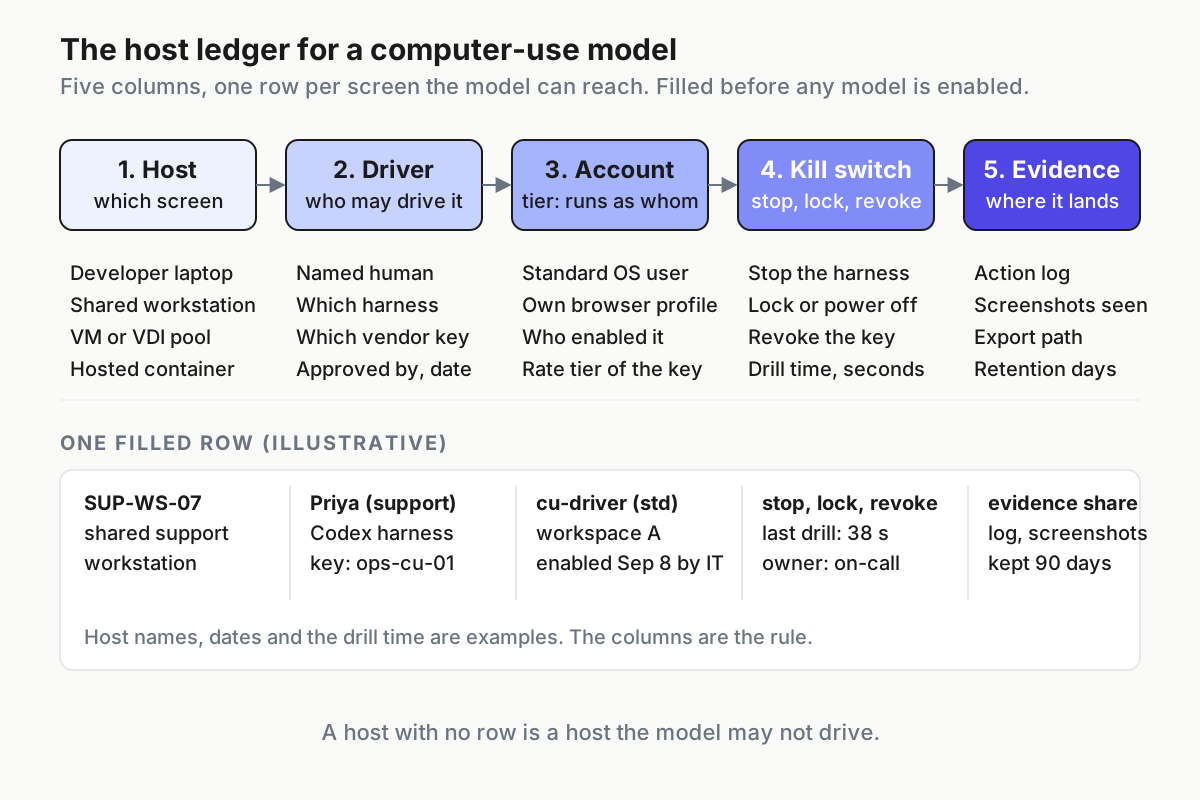 The five columns, with one filled row. Names, dates and the drill time are examples; the columns are the rule.
The finished ledger, one illustrative row per non-developer class:
| Host | Driver | Account tier | Kill switch | Evidence |
|---|---|---|---|---|
| SUP-WS-07 | Priya, Codex harness, key ops-cu-01 | Tier 2, cu-driver, workspace A enabled Sep 8 |
stop + lock + revoke; drill 38 s | evidence share, 90 days |
| CU-POOL-03 | nightly QA job, platform key | Tier 3, image v14, no human session | stop + power off + revoke; drill 55 s | evidence share, 90 days |
| vendor container | same QA job | Tier 3, 4 GB container | cancel + revoke; billed 4 min after cancel | vendor export plus local copy |
Six ways a computer-use host slips out of the ledger
- The human’s own session becomes the driver. Somebody skipped step 3 because it was faster. Signal: transcripts show the human’s username, and the password manager appears in the screenshots.
- The enable toggle drifts. A second admin enables the model for a workspace nobody added a row for. Signal: the monthly diff of the vendor admin list against the ledger shows an enabled workspace with no host.
- The kill stops the brain, not the hand. The process died and the session stayed open. Signal: the drill log has a stop time and no lock event.
- The container is invisible. Signal: the invoice shows container charges against a key or project that has no container row in the ledger.
- The export is partial. A ZDR workspace with zero local retention. Signal: the weekly export count is lower than the session count.
- The 272K cliff. Mid-run, input and cache rates double and output goes to 1.5x because the session carried its screenshot history. Signal: one session’s effective input rate on the bill jumps to 2x.
The ledger is the first table a command center reads
A fleet of agents that can act on desks needs an operating layer that knows which desks exist, which is a different thing from a dashboard of model calls. The host ledger is the desk-level half of that layer: inventory, kill path and evidence per screen, owned by the operator, readable without the vendor’s console. The multi-agent command center argument is that the operator sees and interrupts every runner from one place; for computer-use models the runners have a physical address, and the ledger is where the address lives.
FAQ: GPT-6 Astra computer use and the host inventory
Is GPT-6 Astra a separate computer-use model or a general model with a computer-use tool?
The developer docs list computer use as one of the supported tools for gpt-6-astra alongside hosted shell, MCP and skills, and the same page calls it OpenAI’s most capable model for hard end-to-end work. There is no separate SKU, which is why inventorying hosts, rather than model ids, tells you where the screen is exposed.
What does the GPT-6 Astra container meter actually charge?
OpenAI’s pricing page lists Hosted Shell and Code Interpreter containers by size, from $0.03 for 1 GB to $1.92 for 64 GB, per 20-minute session per container, billed by the minute with a 5-minute minimum per session. That meter runs alongside the token meter, so a driven container session has two bills at once.
Which account should a computer-use agent run under on a shared workstation?
A dedicated standard user with no admin membership, no password manager, its own browser profile and reach only to the task’s applications. The human’s own session is acceptable only on a developer’s personal machine, and even there the transcript should show which account drove.